

HelpCenter.io provides API keys directly from your dashboard, so you can start integrating right away — no need to contact support anymore.
API keys allow you to securely connect your help center with external tools, custom integrations, or internal systems.
Where to Find Your API Keys
To generate or manage your API keys:
Log in to your HelpCenter.io dashboard.
Select the help center you want to work with.
Open Settings from the main navigation.
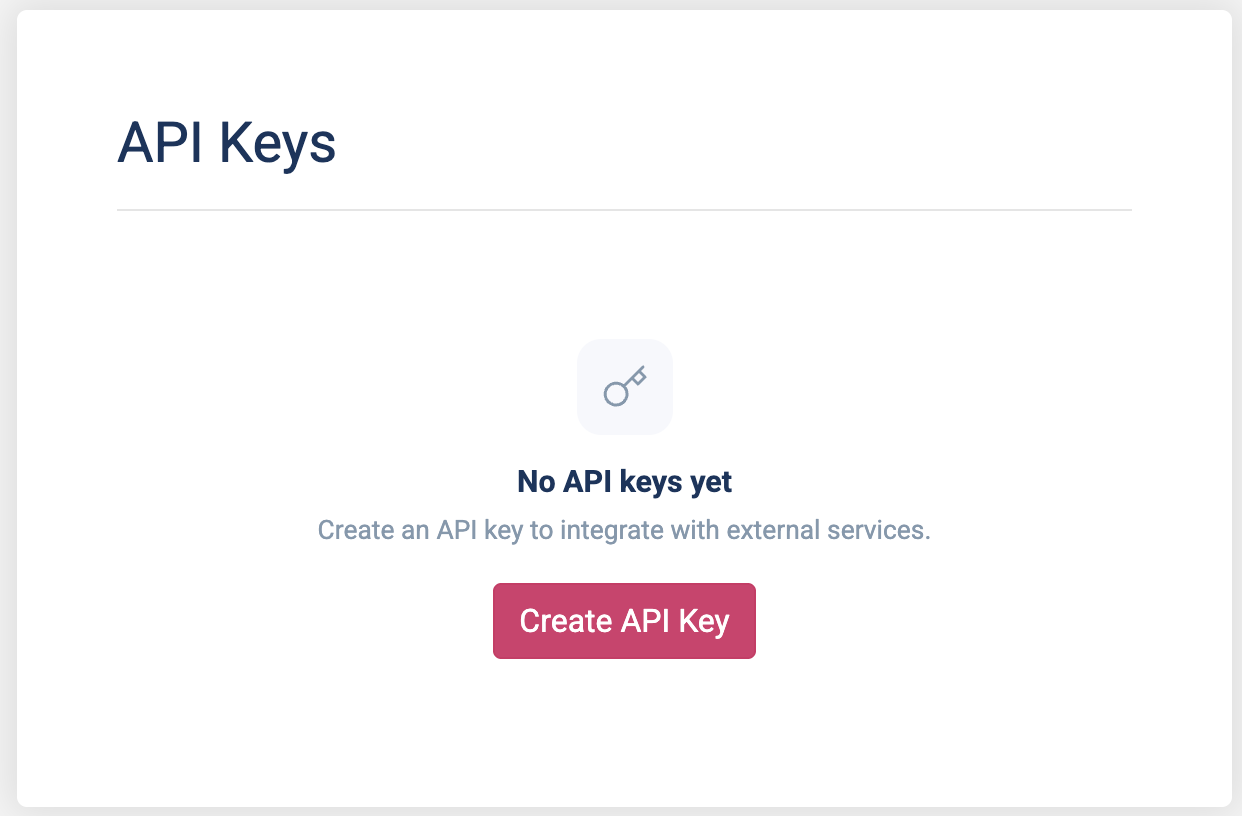
Go to the API Keys section.
Creating a New API Key
Inside the API Keys section, you can generate a new key by clicking on the "Create API Key" button to start with.
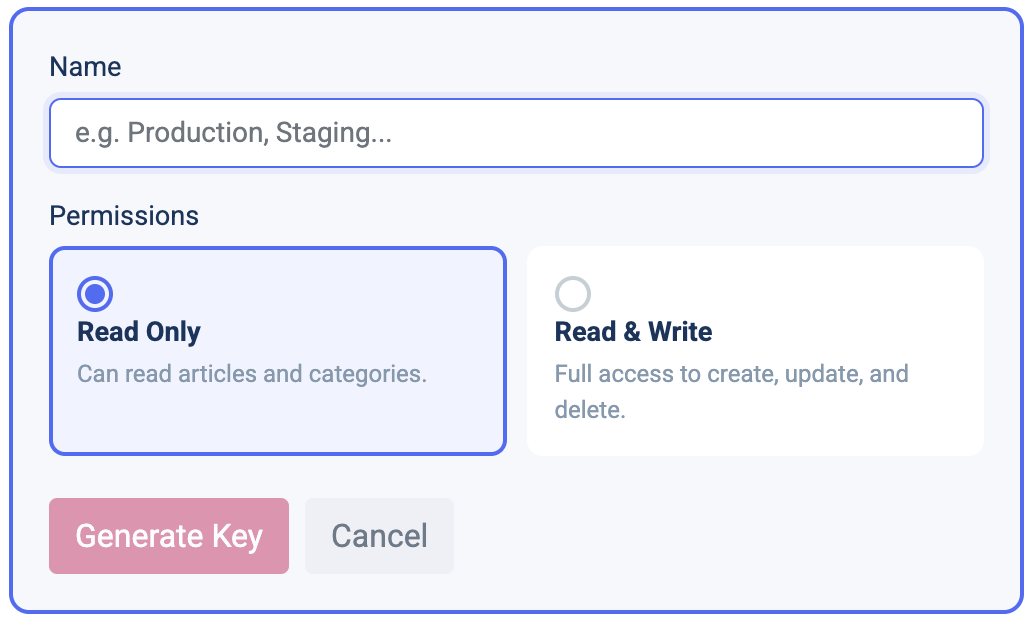
When creating a key, you can:
Give the key a descriptive name (recommended for managing multiple integrations)
Choose the appropriate access level below Permissions:
Read-only — for fetching articles, categories, or public data
Read & write — for creating or updating content programmatically
Once created, copy the key and store it securely.
Managing Existing API Keys
Once you have any keys created, from the same screen, you can:
View all active API keys
Revoke keys you no longer need
Rotate keys if one has been compromised
Changes take effect immediately.
Security Best Practices
To keep your help center secure:
Use read-only keys whenever write access isn’t required
Create separate keys per integration
Never expose API keys in client-side code or public repositories
Revoke unused keys regularly
What Can I Use the API For?
Common use cases include:
Syncing articles with other documentation systems
Powering custom search or AI assistants
Automating content updates
Integrating your help center into internal tools or workflows
For detailed endpoints and examples, see the API documentation.
If you’re unsure which access level you need or have a specific use case in mind, start with a read-only key — you can always create additional keys later.