

Watch an article to get an email whenever a teammate changes it. It's a good way to keep an eye on the articles you own, or on the originals of articles you translate.
Who can do this: Owners, Admins, Editors and Translators · Plans: All plans
Watch an article
Open the article from Articles.
Click Watch in the top bar.
Choose what you want to hear about.
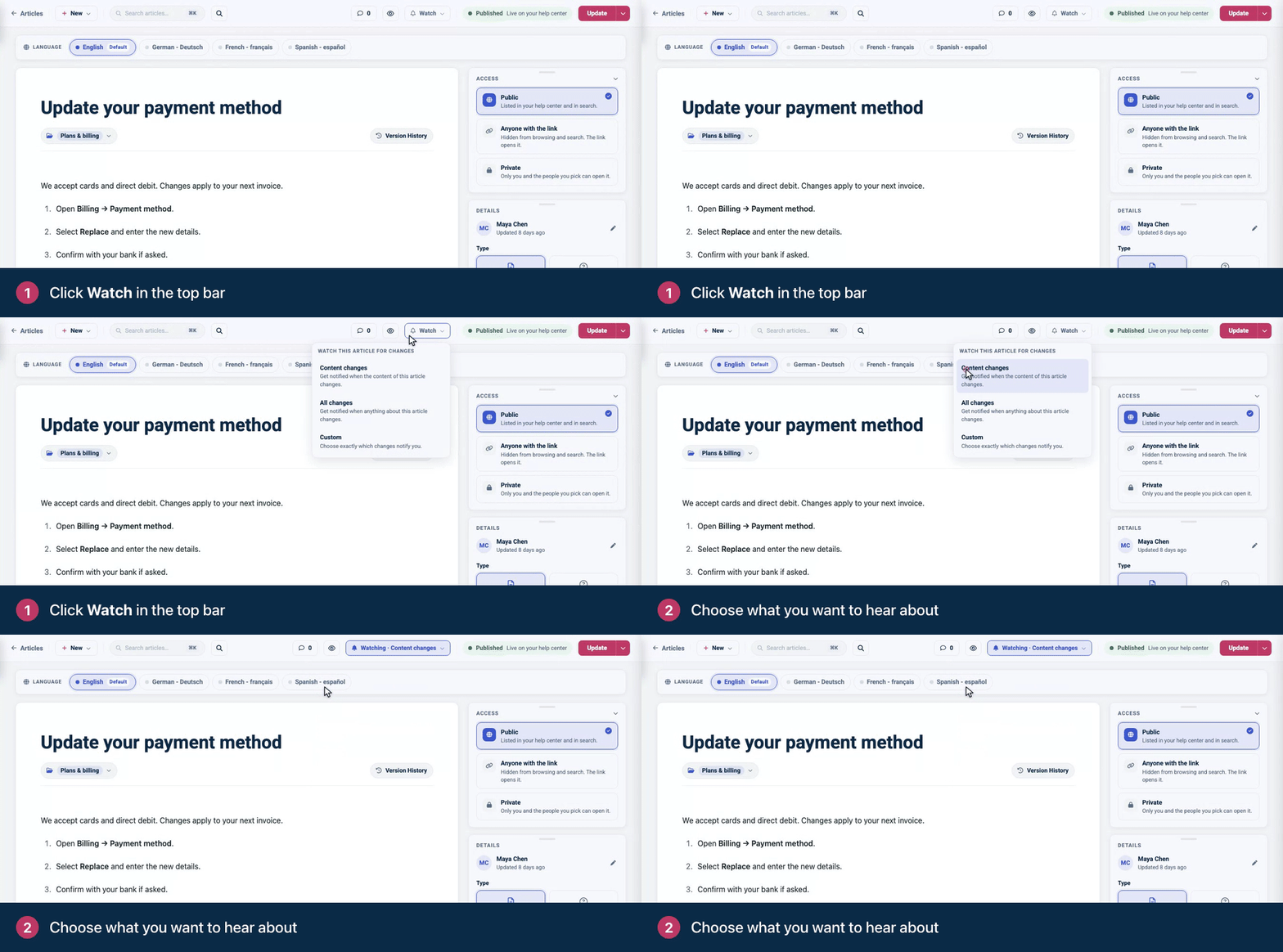
The button then shows your choice, for example Watching · Content changes. You can watch an article once it has been saved.
What you can watch
Option | You get an email when someone changes |
|---|---|
Content changes | The article's text. |
All changes | The title, the text, the author or the category. |
Custom | Only what you tick: Title, Content, Author or Category. Click Apply to save your choice. |
The emails
Emails arrive with the subject "An article you are watching has been updated". They say who changed what, show changes to the title and text with additions and deletions marked for each language, and link to the article.
You're never emailed about your own changes. A change counts once it's saved to the article, so edits that are still unsaved in someone's browser, or staged and not yet published, don't send anything.
Translators are subscribed automatically
When someone with the Translator role saves a translation, they start watching that article's title and text in your default language. When the original changes, they get an email with the subject "Default language changed for an article you translated", so they can update their translation.
Stop watching
Click the Watching button in the top bar and choose Stop watching. For a translator, this also ends the automatic subscription for that article.
There's no account-wide setting for these emails: you choose article by article.
Troubleshooting
I'm not getting any emails. Check your spam folder, and check that someone other than you changed a part of the article you watch. See I'm not getting emails from HelpCenter.io.
Comments
Be the first to comment.