

AI Answers writes every answer from your own published articles, and shows the reader where each fact came from. Here is what happens between a question and its answer, what the AI can and can't use, and how to get better answers.
Plans: Catalyst, or the AI add-on on Bootstrap and Growth
From question to answer
A reader asks a question in your help center's search bar or in the widget.
HelpCenter.io searches your help center for the articles that match best, by meaning as well as by keywords.
The most relevant passages from up to eight of those articles go to the AI model.
The model writes a short answer from those passages only, and marks each fact with a numbered link to its source.
The reader sees the answer, the list of Sources, and Was this helpful?
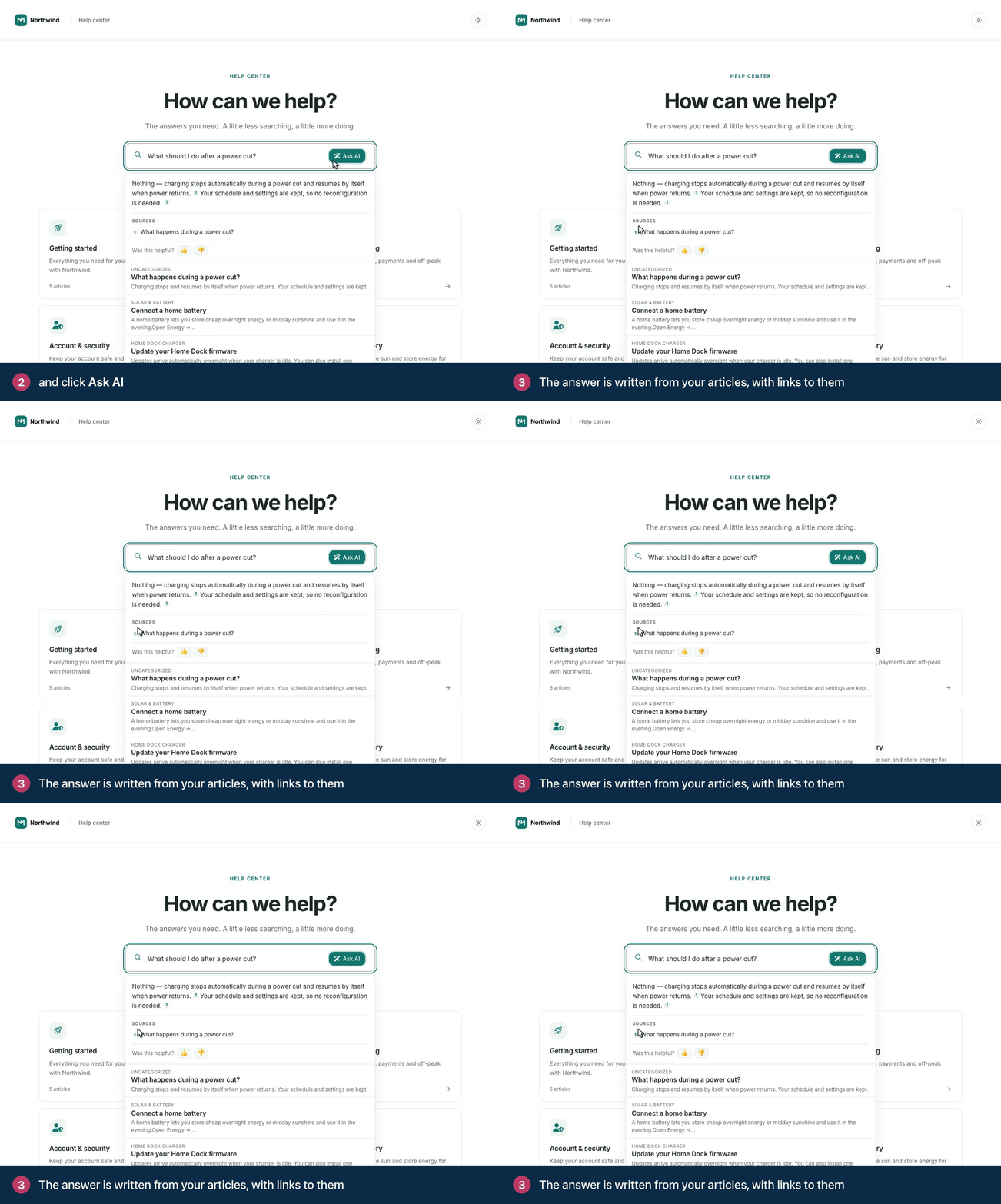
In the widget, readers can ask follow-up questions. The assistant uses the conversation so far to understand them, and still answers only from your articles.
Only your articles, never the open internet
AI Answers doesn't search the web and doesn't fill gaps with general knowledge. There is no setting that changes this.
When your articles don't cover a question at all, the answer reads: "I don't have that information available. Please contact our support team for assistance."
When they cover only part of it, the answer covers that part and says the rest isn't in your documentation.
When an article says something is not possible, the answer says so plainly.
What the AI can use
The AI only sees what that reader is allowed to read:
Published articles, in the reader's language. A translation counts once you release it.
Articles and categories the reader has access to. Private content stays out of a public reader's answer.
The public text of each article. Team notes and AI drafts you haven't kept are removed first, and reader comments are not used.
Staged edits are used only after you publish them.
Question rules and limits
A question can be up to 200 characters. Longer ones get: "That question is a little too long. Please shorten it to 200 characters or fewer and ask again."
Ask AI takes one question in plain words at a time. It turns down pasted code, SQL or markup, and several sentences at once. The reader then sees "The AI assistant can only answer a single question in plain words, so it couldn't take this one. Try asking it another way, or look through the search results." in your help center, with the matching articles still listed, or Let's try that another way in the widget, with the matching articles and a field to ask again.
Fair-use limits apply per visitor. A reader who asks many questions in a short time gets the same message, or You're going a little fast in the widget, and can ask again a little later.
Readers rate the answers
Under each answer, Was this helpful? lets readers give it a thumbs up or a thumbs down. These votes count as helpful and unhelpful AI answers in Statistics. They are separate from article ratings.
Get better answers
Put the answer in the text. A screenshot or video without text gives the AI nothing to quote.
Keep one topic per article, with clear titles and headings in your readers' words.
State plans, roles and limits in the article, next to the steps they affect.
Remove duplicate or outdated articles that disagree with each other.
Check what people ask in Statistics and write the articles that are missing.
New and updated articles are picked up automatically shortly after you publish them. See Make your help center ready for AI for more tips.
Comments
Be the first to comment.