

Your help center shows "This Help Center is Taking a Break" when its free trial or subscription has ended. Your content is safe, and activating a plan brings the help center back.
Bring your help center back
On the break page, click Log In & Reactivate, or sign in at helpcenter.io/app/signin.
Click your avatar, then Billing & Invoices.
Pick your plan, add your billing details and a payment method, then click Activate.
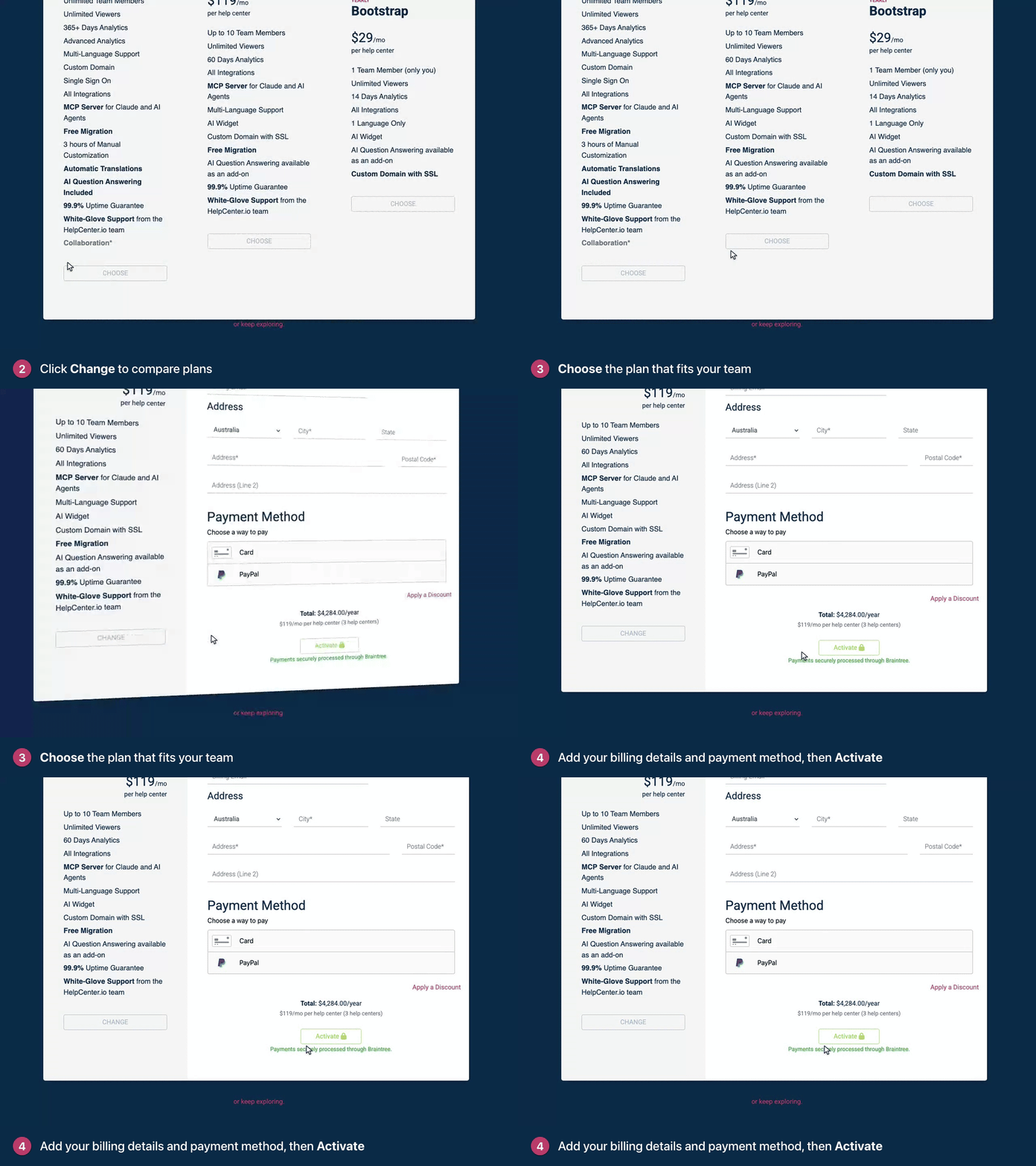
Your help center is back online as soon as the subscription is active. If the break page still shows, wait a minute and reload it. See Choose a plan and start your subscription for each step.
What's going on in the dashboard
You can still sign in, but you land on My Help Centers, which shows "Unfortunately, your free trial has ended." instead of your help centers. If you've had a paid subscription, it says "Unfortunately, your subscription has ended." instead. Dashboard pages, such as your articles and settings, show the same message. Billing & Invoices keeps working, so activate from there: click activate your subscription (or reactivate your subscription) in the message, or click your avatar, then Billing & Invoices.
If you can't activate
You're not the account owner. Billing & Invoices says "Only the account owner can manage the help center subscription and billing details." Ask the owner of the account to activate the plan.
Your email isn't verified. A Verify Your Email notice means you need to confirm your email address before you can enter a payment method. Click the link in the verification email, or use the resend it link in the notice.
Your content is safe
Nothing is deleted while your help center is offline. Your articles, categories, design and settings are all kept, exactly as you left them.
A payment failed
If we can't charge your payment method, your subscription becomes past due. Your help center stays online for a while, so there's time to fix it. A banner in the dashboard shows how many days the payment is overdue, with an Update Payment Method button. Update it soon: if the payment keeps failing, the subscription can end and your help center goes offline. See What happens when a trial or subscription ends?
You deleted the first help center you created
Deleting the first help center you created also ends the subscription your other help centers rely on, so they can go offline too. Contact our support team from the account owner's email address, and tell us which help centers you want to keep online.
You see a different page
"Help Center Suspended" means the help center "has been suspended for violation of our Terms of Service". If you think that's a mistake, write to support@helpcenter.io.
"This Help Center Doesn't Exist" means no help center uses that address. If you changed your subdomain, the old address stopped working. See Change your help center's address.
Still stuck?
Contact our support team from the account owner's email address and include your help center's address. See Contact HelpCenter.io support.
Comments
Be the first to comment.