

Code blocks show commands, settings and code samples in a fixed-width font with syntax highlighting, so developers can read them at a glance. They're the backbone of good API and integration guides.
Who can do this: Owners, Admins and Editors · Plans: All plans
Add a code block
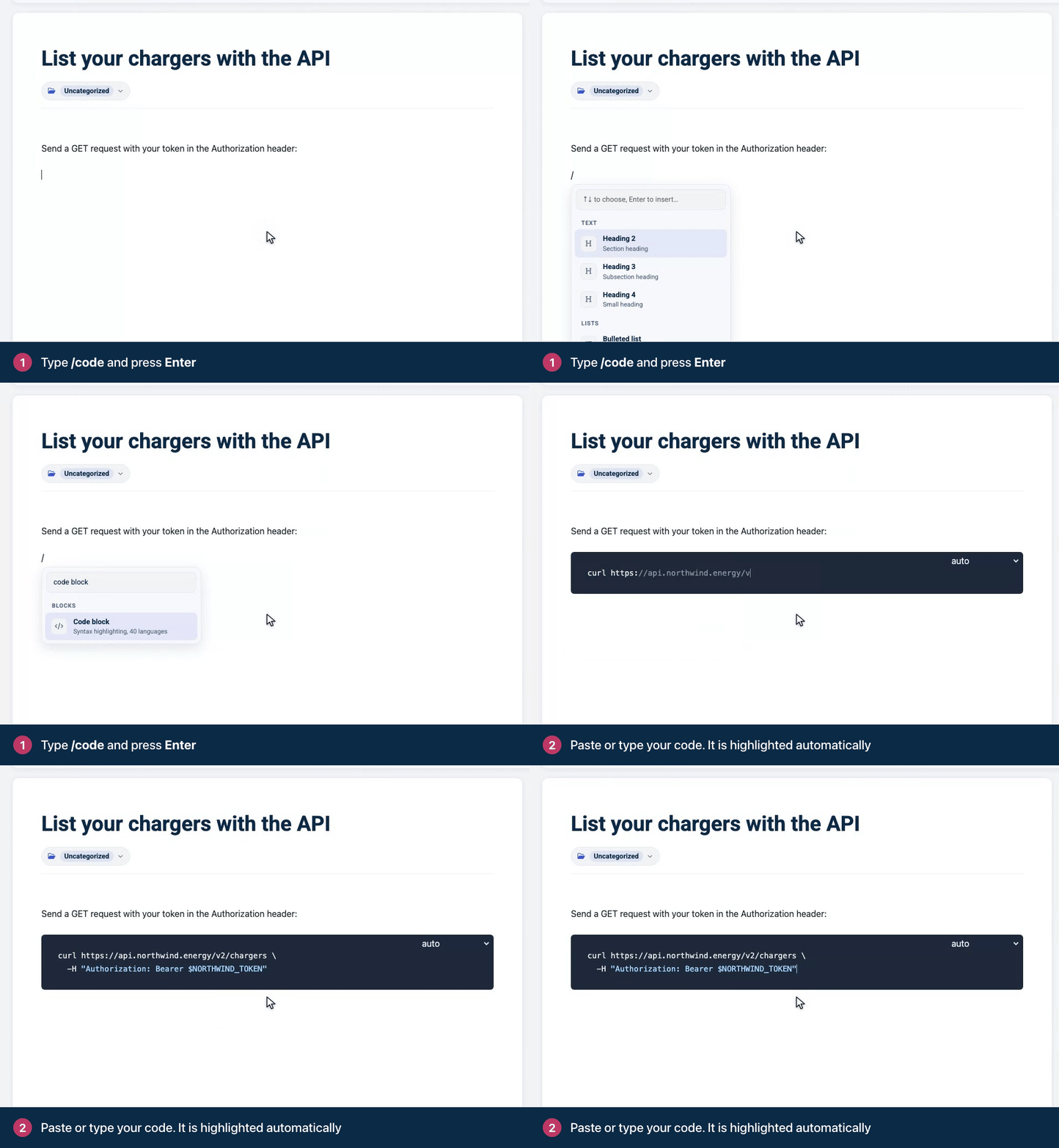
On an empty line, type
/codeand press Enter. (Typing```and a space works too.)Paste or type your code. It's highlighted automatically.
To continue with normal text, click below the block or press ⌘Enter (Ctrl+Enter on Windows).
Here's a code block as your readers see it:
function greet(name) {
  return `Hello, ${name}`;
}
Choose the language
A new code block is set to auto and works out the language itself. If the colors look wrong, pick the language from the menu in the top-right corner of the block, for example Bash, JavaScript, JSON, PHP or Python.
Code inside a sentence
For a short command, file name or value in the middle of a sentence, use inline code instead. Select the text and click Inline code in the toolbar, press ⌘E (Ctrl+E on Windows), or type it between backticks, like `npm install`.
Good to know
Tab inside a code block adds four spaces instead of moving to the next field.
Anything you paste into a code block stays exactly as it is. Nothing is converted or formatted.
The formatting toolbar doesn't appear inside a code block.
Replace real API keys and passwords with placeholders such as
YOUR_API_KEYbefore you publish.Give each command its own block, and say in a sentence above it what it does.
Document an API endpoint
For API docs, the API endpoint block (type /api) lays out an endpoint's method, path, parameters, request body and responses. Readers get ready-made code samples in cURL, JavaScript, Python and PHP, each with a Copy button.
Typing /api and pressing Enter opens the Insert API endpoint dialog. Fill in its tabs, then click Insert endpoint:
Endpoint: pick the Method (GET, POST, PUT, PATCH or DELETE) and type the Path, starting with a slash. Put path parameters in braces, like
/articles/{id}. Add your API base URL for the code samples (leave it empty to show a placeholder) and a short Description. Under Authentication, choose Bearer token, API key header or None, and add Token help text to tell readers where to get a token.Parameters: lists the path parameters from your path. Click Add header or Add query parameter for anything else, with an example value, a description and Required when readers must send it.
Body: appears for every method except GET. Choose No body, JSON with an example payload, or Form data with its fields.
Responses: click Add response code for each status readers should expect, say when it happens, and paste an example JSON response.
To change an endpoint later, click Edit at the top of the block, make your changes and click Update endpoint. To remove it, click the block to select it and press Delete or Backspace.
Comments
Be the first to comment.