

Everyone on your team has a role in each help center. The role decides what they can see and change, from reading a private help center to running its settings and billing. Give each person the role that fits their job.
Who can do this: Owners and Admins assign roles · Plans: All plans
The five roles
Owner: the person who created the help center. The owner can do everything, including deleting the help center. Each help center has one owner, and the owner's role can't be changed.
Admin: runs the help center with you, including its content, design, settings and team.
Editor: writes, edits and publishes articles, and keeps an eye on statistics and comments.
Translator: translates existing articles into your other languages.
Viewer: reads your help center while it's private. Viewers don't get the dashboard.
What each role can do
What they can do | Owner | Admin | Editor | Translator | Viewer |
|---|---|---|---|---|---|
Read the help center when it's private | Yes | Yes | Yes | Yes | Yes |
Open the Articles page in the dashboard | Yes | Yes | Yes | Yes | No |
Translate articles into other languages | Yes | Yes | Yes | Yes | No |
Create, edit, publish and delete articles and categories | Yes | Yes | Yes | No | No |
Use Statistics, Comments, Trash and Change sets | Yes | Yes | Yes | No | No |
Delete articles permanently and empty the Trash | Yes | Yes | No | No | No |
Design the help center in the template editor | Yes | Yes | Yes, from Customize on the help center | No | No |
Manage Settings (custom domain, single sign-on, API keys, integrations), Localization, Users and Embeddables | Yes | Yes | No | No | No |
Use Danger zone: request the full PDF export or delete the help center | Yes | No | No | No | No |
Manage billing and subscriptions | Yes | No | No | No | No |
Translators edit an article's other languages only. They can't change the default-language version or create new articles.
Change sets are part of the Catalyst plan.
Billing belongs to the account owner, the person who pays for the help center. Only they can manage its subscription and billing details under Billing & Invoices.
AI agents follow the same roles. An AI app someone connects by signing in can do only what that person's role allows on each help center. See Connect Claude, ChatGPT and other AI agents.
Custom roles
On the Catalyst plan, you can also create your own roles with exactly the permissions you choose. The most common is a Reviewer, who writes, edits and translates articles but never publishes them, so an editor checks their work first. See Create custom roles for your team.
Roles are per help center
If you run several help centers, invite people to each one separately. Someone can be an Editor in one help center and a Viewer in another.
Readers who sign in with single sign-on
If your help center signs readers in with your own login (JWT SSO), those readers aren't team members. They don't appear under Users and never get dashboard access, whatever your login system sends. To give a colleague access to the dashboard, invite them under Users. See Sign readers in with your own login (JWT SSO).
Give someone a different role
In the left menu, click the gear icon, then Users.
Pick a new role in the dropdown next to the person's name.
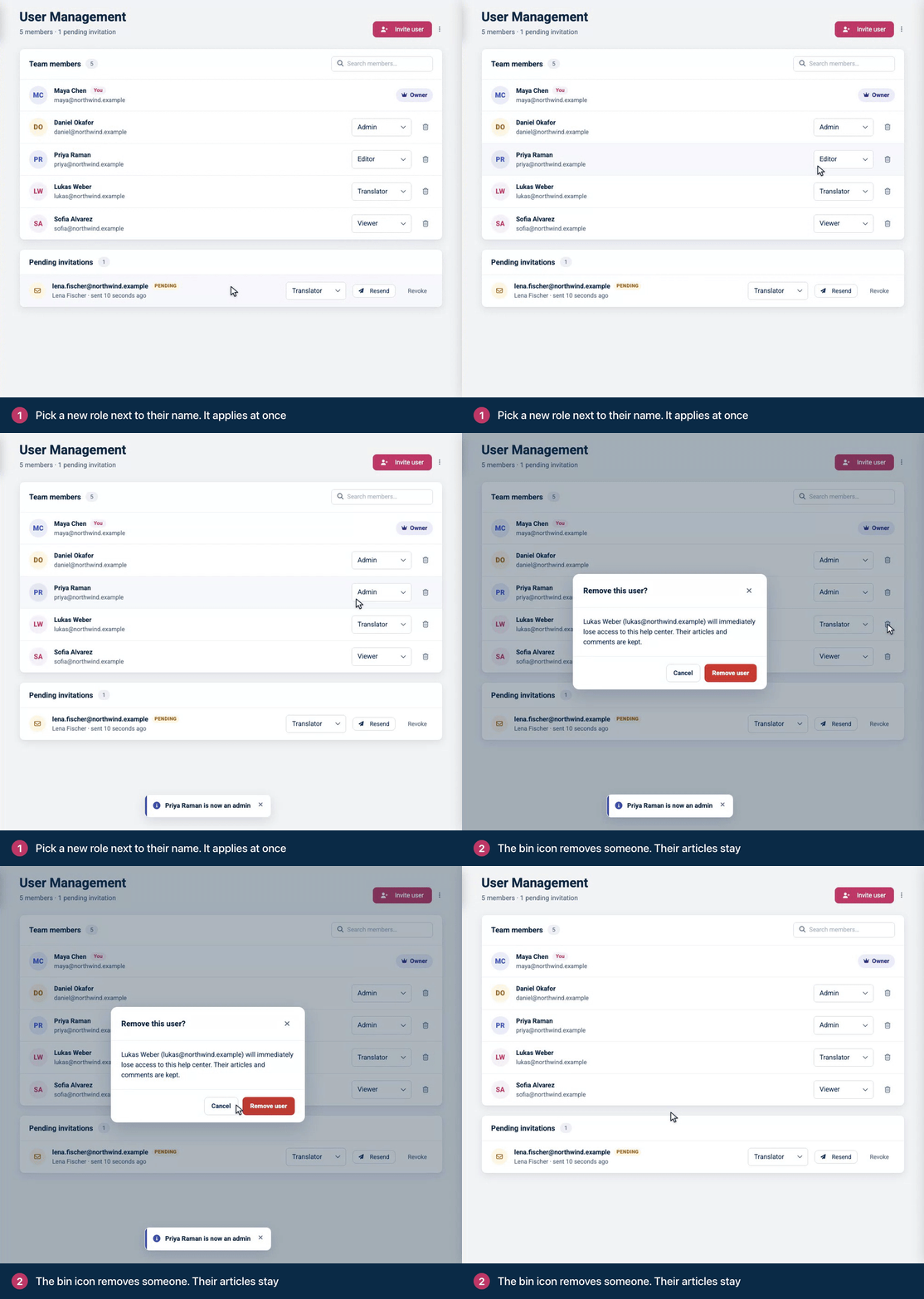
See Change someone's role or remove them for the details.
Comments
Be the first to comment.