

Here's what your visitors get when they open the widget: a search box for your whole help center, suggestions for the page they're on, answers to their questions and your articles, all without leaving your site.
Plans: The widget is on all plans. AI answers and questions about an article need AI Answers switched on, and suggestions for the page a visitor is on need only a plan that includes AI. Both come with Catalyst, or with the AI add-on on Bootstrap and Growth.
Opening the widget
Visitors open the widget from the round button in the bottom-right corner of your pages (or bottom left, if your snippet moves it). A proactive message can also invite them in at the right moment. On screens narrower than 450 pixels, such as most phones, the widget opens full screen.
The home screen
At the top, visitors see your brand name, heading and subheading. Below them:
A search box. It reads "Ask a question or search…" when AI Answers is on, and "Search the help center…" when it isn't.
Your own content, if you added Custom HTML content to the widget.
Recent conversations (with AI Answers): the visitor's own earlier questions to the AI assistant, so they can pick up where they left off.
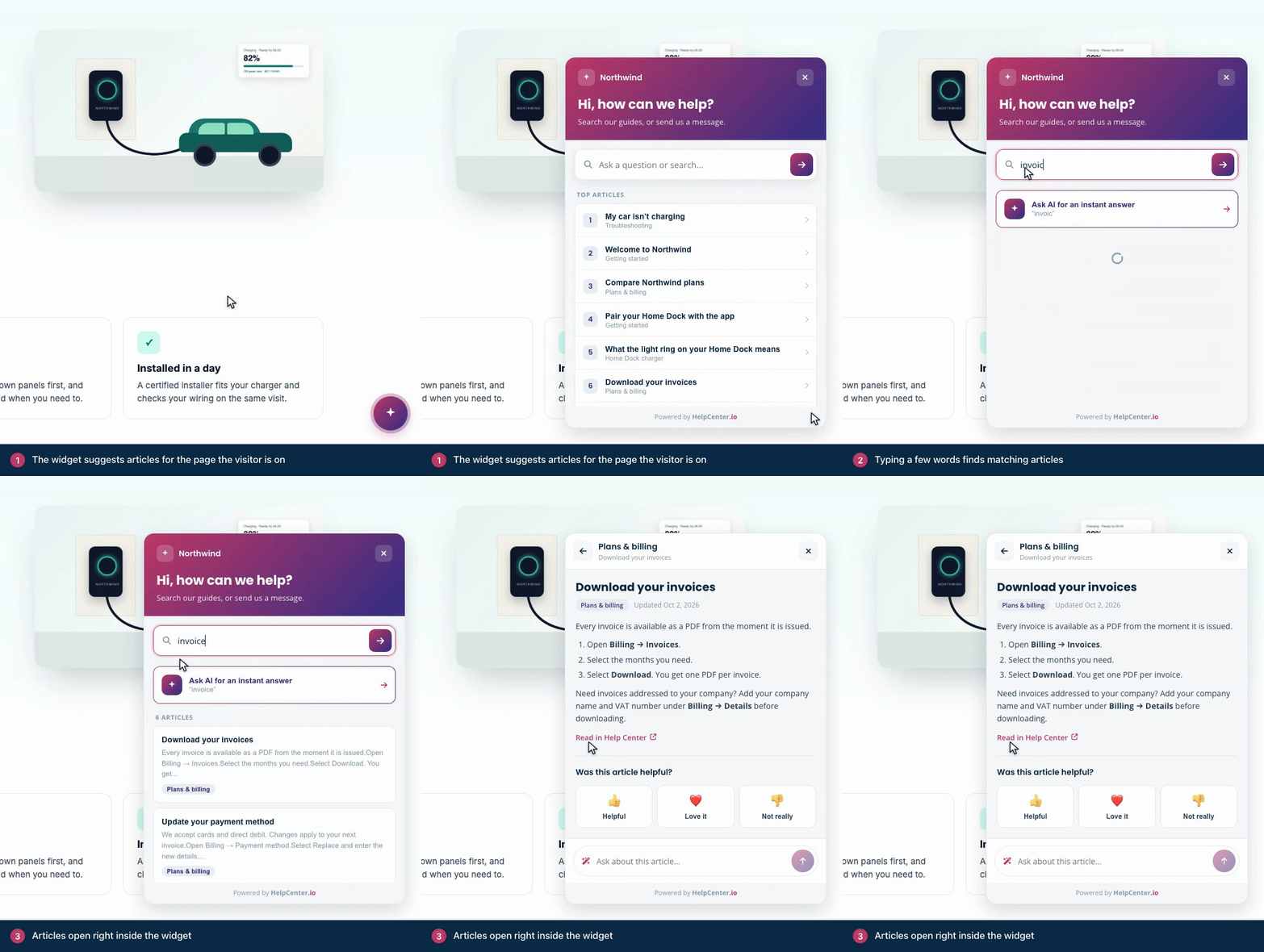
Can this help? (on plans with AI): up to two articles related to the page the visitor is on, with the hint "based on this page". To find them, the widget sends the text of that page to HelpCenter.io. This works whether AI Answers is on or off, once your articles are prepared for search by meaning. See AI and your data.
Top articles: your most viewed articles.
Browse by category: your top-level categories.
I can't find what I'm looking for: opens a form to message your team, when your contact form has a recipient.
Searching
Results appear as visitors type, each with a short excerpt. When AI Answers is on, Ask AI for an instant answer sits above the results. When nothing matches, the widget says No articles for followed by the search, and offers Ask AI assistant (with AI Answers) and Contact our team.
Asking the AI assistant
With AI Answers on, visitors can type a question in their own words and press Enter or click Ask.
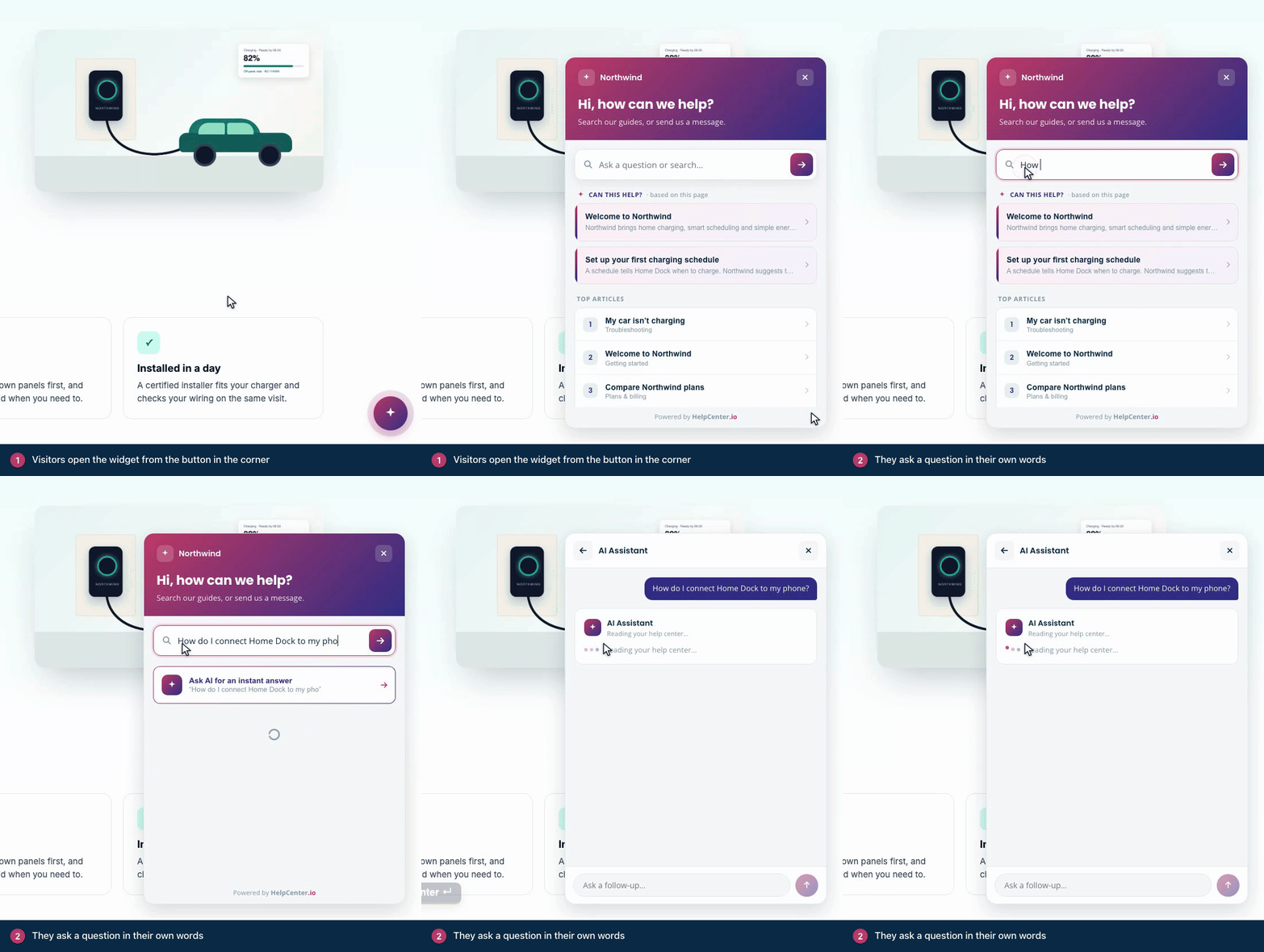
The AI Assistant screen shows "Reading your help center…", then writes the answer from your published articles. Under the answer, Sources lists the articles it used, and each one opens in the widget.
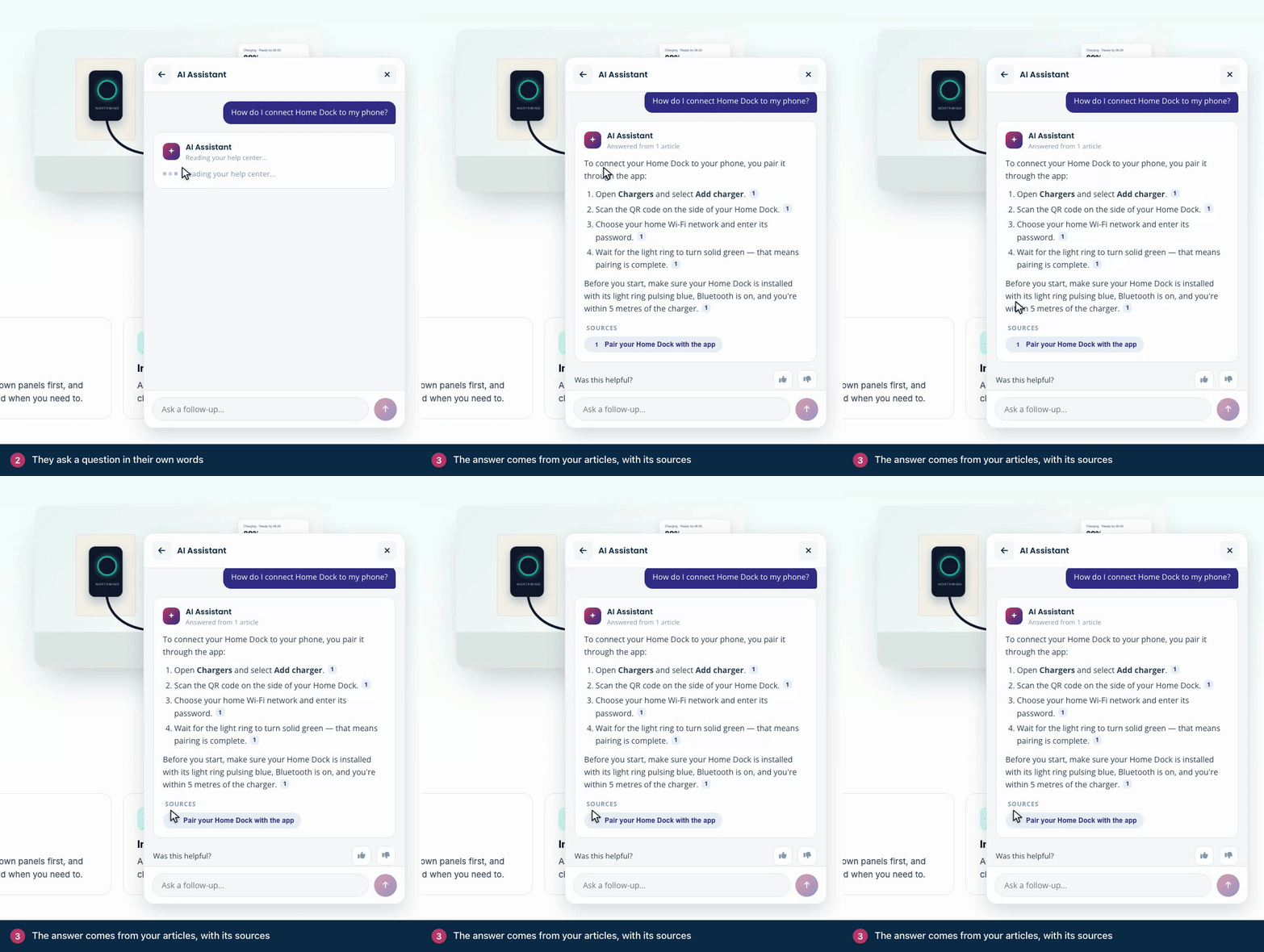
After the answer, visitors can:
Rate it under Was this helpful?
Open one of the Related articles.
Keep going with Ask a follow-up…
Write to your team with Still stuck? Message our team →, when your contact form has a recipient.
AI Answers only answers from your published articles. When they don't cover a question, it says so instead of guessing. See How AI Answers work.
Reading an article
Articles open inside the widget, with their category and the date they were last updated. Under each article:
Was this article helpful? lets visitors rate it with Helpful, Love it or Not really.
Ask about this article… (with AI Answers) answers questions from that article only.
Read in Help Center opens the full article in a new tab.
Writing to your team
When your contact form has a recipient email, visitors can send your team a message without leaving the widget. See Let visitors message your team from the widget.
See how visitors use it
Searches and article views in the widget appear in Statistics. Set the Surface filter to Widget to see the widget on its own. See Read your help center statistics.
Comments
Be the first to comment.