

When the title you type closely matches an article you already have, HelpCenter.io tells you. Catching a duplicate early saves you from writing the same article twice and keeps your answers consistent.
Who can do this: Owners, Admins and Editors · Plans: All plans
How the warning works
Type a title for your article.
Click into the body, or anywhere outside the title. HelpCenter.io looks for an existing article that's a close match.
If it finds one, a banner starting with Heads up appears above the article, with a link to the existing article.
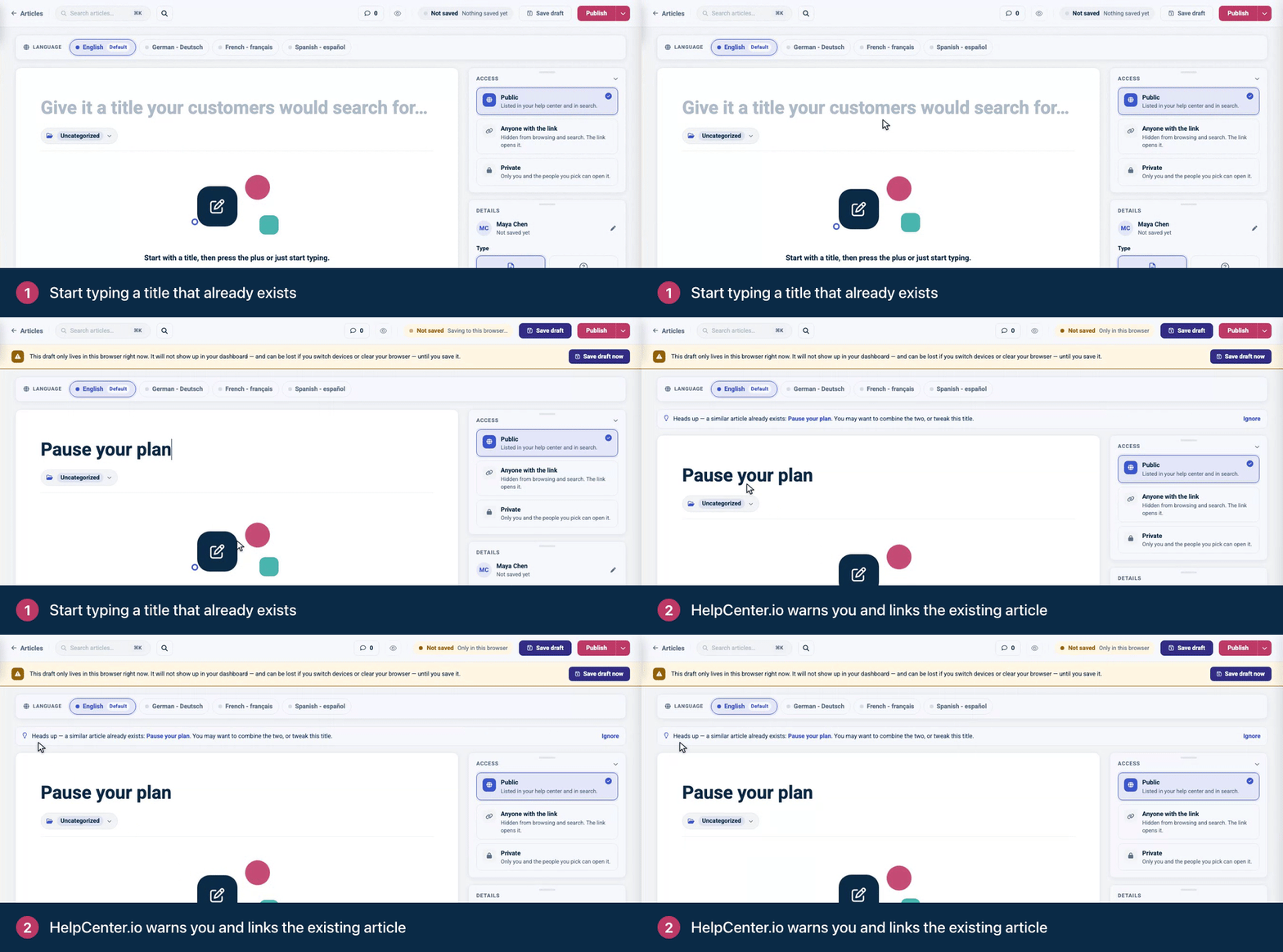
The check runs each time you finish editing the title.
What to do next
Update the existing article. Click its title in the banner. If it already covers the topic, improve that article instead of starting a new one. Copy anything useful from your draft first.
Combine the two. If each has something the other lacks, merge them into one article, then delete the extra one.
Make your title more specific. If the topics are different, change the title so readers can tell the two apart, for example by naming the product or the situation.
Carry on. If the match is fine, click Ignore to hide the banner.
Why duplicates hurt
Search gets harder. Readers see two results that look alike and have to guess which one to open.
Answers can disagree. AI Answers writes its replies from your articles, so an outdated copy can end up in an answer.
Upkeep doubles. Every change has to be made twice, and the copy nobody remembers goes stale.
Before you write a new article, search for the topic first: press ⌘K (Ctrl+K on Windows) in the editor, or use the search on the Articles page.
Comments
Be the first to comment.