

Yes, on every plan. "Powered by HelpCenter.io" is part of your Footer component, and one switch hides it.
In the left menu, click Template editor. Open Pages and pick the Footer region.
Click Footer to edit it.
Open Advanced and turn off Show attribution.
Click Publish.
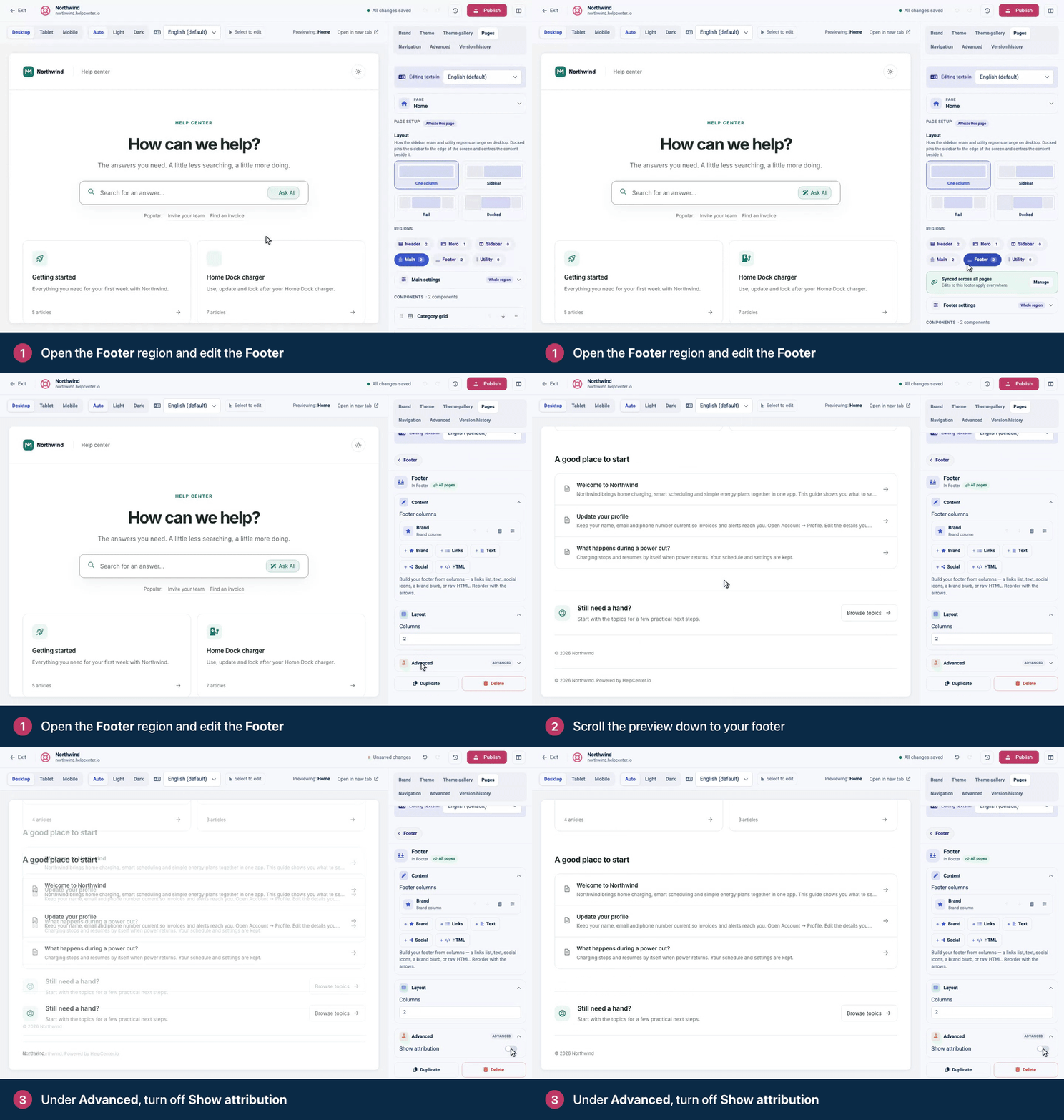
The footer is synced across all pages by default, so one change covers every page. The switch hides the whole attribution line, including the copyright year and brand name that share it.
Using Compass? Its Show attribution is already off. Its credit, "Made with Compass · by HelpCenter.io", is an HTML column in the Footer instead. Under Footer columns, click the trash icon on that HTML column, or edit its HTML, then publish.
The widget has its own badge. Click the gear icon, then Embeddables. Under Appearance, turn on Remove HelpCenter.io branding and click Save changes.
Comments
Be the first to comment.