

When the article has headings and your theme's Article page includes the Table of contents component. Readers then see an On this page list beside the article and can jump to any section.
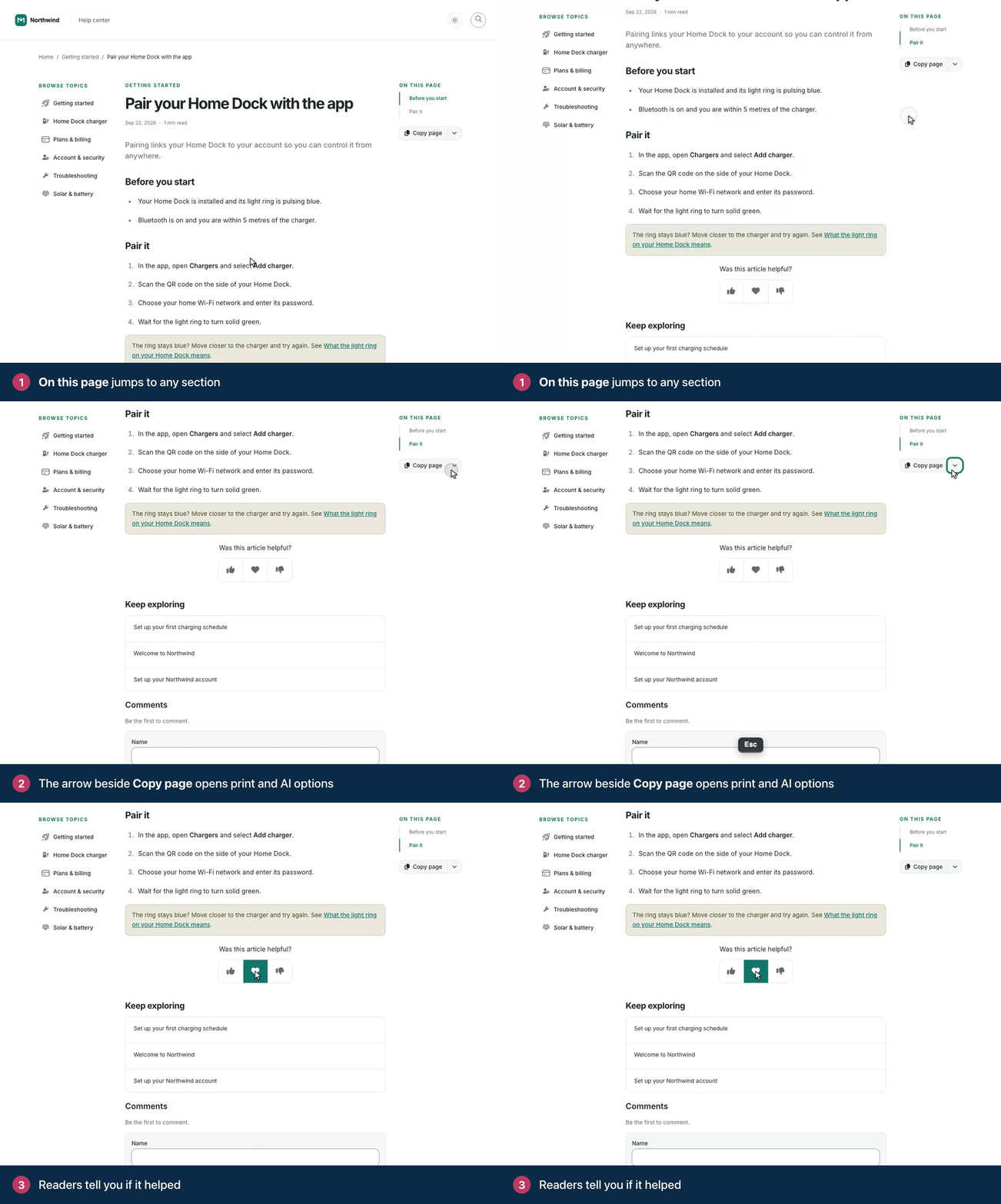
The list is built from the article's headings, starting at Heading 2. The article title isn't included, and an article without headings shows no list. Use Heading 2 for your main sections and Heading 3 for the parts inside them.
Compass, the default theme, includes the component. To add it, remove it or change it:
Open the Template editor, go to Pages and pick the Article page.
The component lives in the Sidebar or Utility region. Add it there with Add component, or click it to edit it.
In Heading levels, choose how deep the list goes, from Heading 2 only down to Heading 5. Sticky keeps it in view while readers scroll.
Click Publish.
Comments
Be the first to comment.