

Every HelpCenter.io account starts with a 14-day free trial. You don't need a credit card, so you can build and publish a real help center before you decide to pay.
Length: 14 days · Credit card: Not needed · Features: Those of the plan you picked when you signed up
What the trial includes
The features of your plan. If you signed up from a plan on the pricing page, you're trying that plan. If you signed up without picking one, you're trying Growth.
AI. A Catalyst trial includes AI Answers and AI writing help. On Bootstrap and Growth they come with the AI add-on, which you can add once you activate your subscription.
Your team. You can send up to 10 invitations during the trial, within your plan's team size.
A private start. New help centers start private, so only your team can see them. Make your help center public when it's ready. Going public needs an activated plan, and activating early keeps your trial.
Want to try a different plan? Email support@helpcenter.io and we'll switch your trial.
See how many days are left
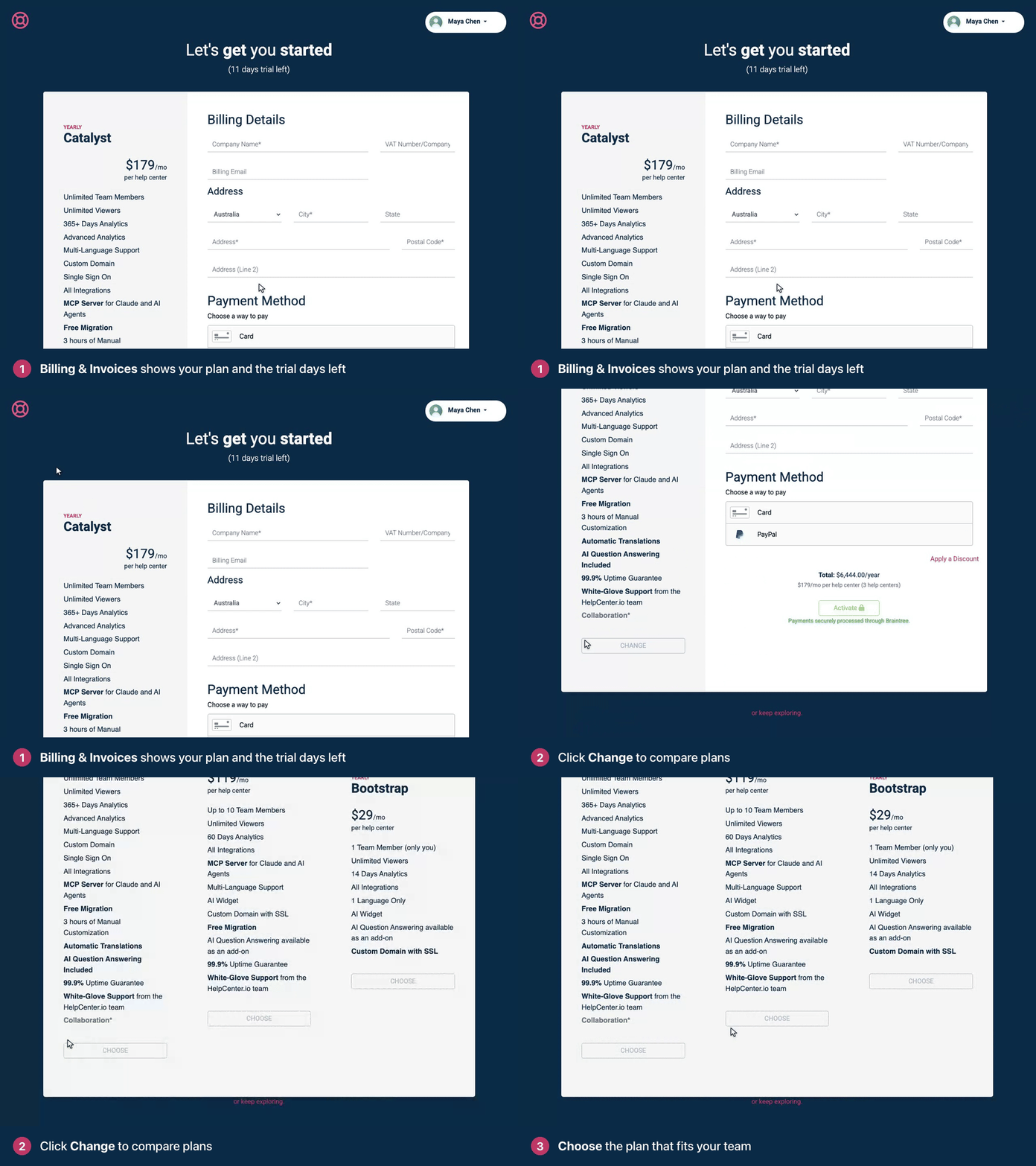
At the bottom of the left menu, click your avatar, then Billing & Invoices.
Under Let's get you started, you see the plan you're trying and the days left in your trial. Click Change to compare it with the other plans.
During the last 7 days, a banner at the top of the dashboard counts down ("Your trial expires in 5 days") with an Activate Now button.
Keep your help center after the trial
Choose a plan and add a payment method whenever you're ready. Activating early doesn't cut your trial short: you keep the days you have left, and your first payment is taken when the trial ends. See Choose a plan and start your subscription.
When the trial ends
If you haven't activated a plan, your help center goes offline. Visitors see a page that says "This Help Center is Taking a Break", and the dashboard asks you to activate your subscription. Your articles, categories and settings are kept, and activating brings everything back right away. See What happens when a trial or subscription ends?
Adding more help centers
To create a second help center, activate your subscription first. The new help center gets its own subscription, which starts with the rest of your trial, or with 5 free days if your trial is over. See Create another help center.
Decided HelpCenter.io isn't for you?
You don't need to do anything. We never asked for a card, so nothing is charged. You can delete your help center yourself (see Export or delete a help center), or email support@helpcenter.io to have your account deleted. We'd be grateful to hear what was missing.
Comments
Be the first to comment.