

When your articles don't have the answer, visitors can write to your team without leaving the widget. Their message arrives in your inbox, and you reply by email.
Who can do this: Owners and Admins · Plans: All plans
Turn on the contact form
The widget sends messages to the same address as your help center's contact page. Until that address is set, the widget hides every way to contact you.
In the left menu, click Template editor.
Open Pages, pick the Contact page, then select its Contact form component.
In Recipient email, enter the address that should receive messages, such as your support inbox.
Click Publish.
The same address switches on your help center's contact page. See Set up your contact page and form for the form's other options.
What visitors see
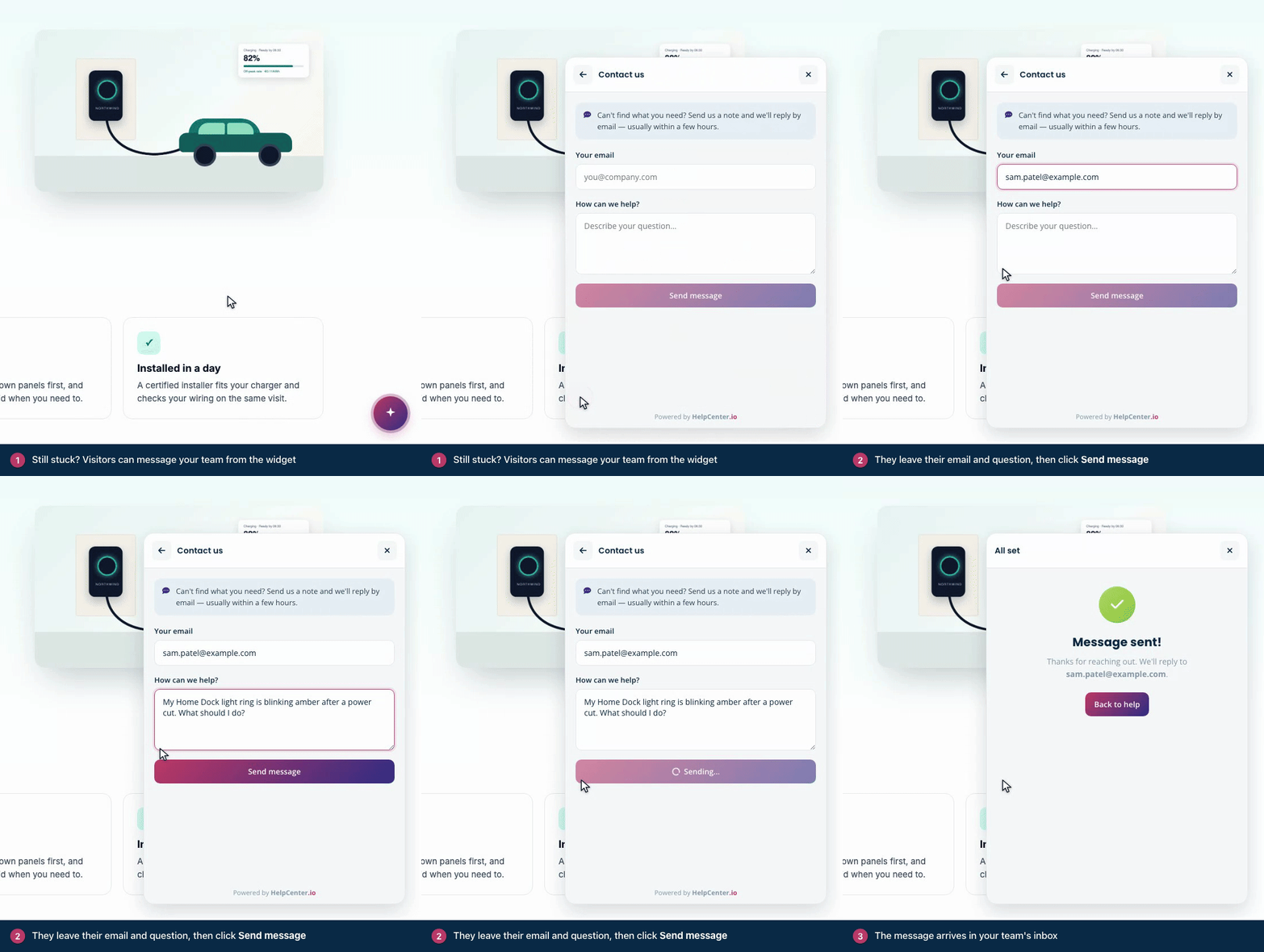
Visitors reach the form from the widget's contact options: I can't find what I'm looking for on the home screen, Contact our team when a search finds nothing, and Still stuck? Message our team → under an AI answer.
They enter Your email.
They describe their question under How can we help?
They click Send message. The widget confirms with Message sent!, and Back to help takes them back to the home screen.
A message needs at least 5 characters. Visitors who send several messages in a row are asked to wait a little before they send another.
What your team receives
Each message arrives as an email from app@helpcenter.io with the subject "New support request". The reply-to address is the visitor's email, so you answer by replying.
The form tells visitors that your team replies by email, usually within a few hours. For your other languages, you can reword it in Localization → Interface translations, in the Widget group. The English wording can't be changed today.
Send visitors to your own form or chat
If you'd rather open your own contact page or live chat when visitors ask for help, a developer can connect the widget's contact buttons to it. See Handle contact requests yourself on the developer portal.
Troubleshooting
The widget shows no way to contact you. The contact form has no Recipient email, or the design that adds it isn't published yet. See The contact form or "Ask us" button is missing.
Messages don't arrive. Check the address in Recipient email, then look in your spam folder for mail from app@helpcenter.io.
Comments
Be the first to comment.