

Add AI to a Bootstrap or Growth plan with the AI add-on. Readers get instant answers written from your articles, and your team gets AI writing help in the editor. Catalyst already includes all of this.
Who can do this: The account owner · Plans: Bootstrap and Growth (Catalyst includes AI)
What it costs
$29/month on a monthly plan.
$24/month on a yearly plan, billed with your plan ($288 a year).
Adding or removing the add-on partway through a billing period is prorated. There are no per-answer fees; fair-use limits apply.
The add-on is per help center. If you pay for more than one help center, each has its own AI Features card, which says which help center it's for, and adding the add-on there turns on AI for that help center only.
What it includes
AI Answers: readers ask a question in your help center's search bar or in the widget, and get an answer written only from your published articles, with links to its sources.
Smarter search and suggestions: once AI Answers is on, search matches what readers mean, not only the words they type, and the widget suggests articles for the page a visitor is on.
AI writing help: rewrite, shorten or draft text in the editor, and draft meta descriptions and image alt text.
AI in your support tools: AI suggestions in the Zendesk, Front, HubSpot and Intercom integrations.
AI translation isn't part of the add-on. It's only on Catalyst.
Add the AI add-on
At the bottom of the left menu, click your avatar, then Billing & Invoices.
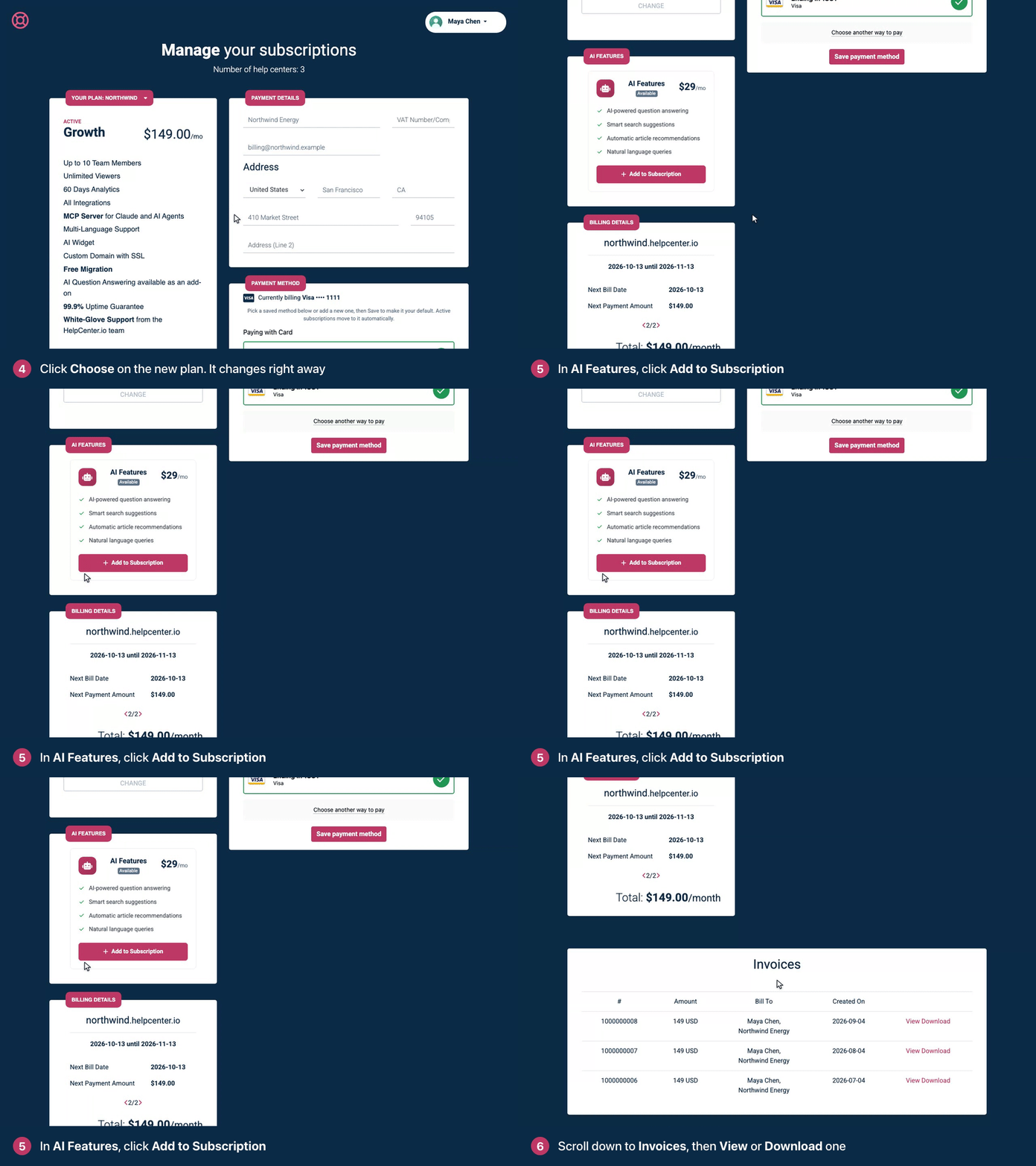
In the AI Features card for the help center you want, click Add to Subscription.
A message confirms that the add-on is being added to your help center, and we email you as soon as it's active. The card shows Active.
Turn on AI Answers
The add-on makes AI Answers available, but it starts switched off.
In the left menu, click the gear icon, then Settings.
Under AI features, switch on AI Answers.
The first time, HelpCenter.io prepares your articles in the background, for AI Answers, search by meaning and AI suggestions in your support tools. Until that's done, search works as it did before. See Turn on AI Answers.
Remove the add-on
In the AI Features card, click Remove Add-on. AI Answers, smarter search and AI writing help switch off. Your articles aren't affected.
Troubleshooting
There's no AI Features card. The card appears once your subscription is active. If you're still in your trial, activate your plan first; you keep your remaining trial days. Only the account owner can open Billing & Invoices.
The card says "Included in your plan". You're on Catalyst, which includes AI. Switch on AI Answers in Settings.
Settings still shows "Add AI Answers to your plan". The add-on isn't active yet. Check the AI Features card in Billing & Invoices, then reload Settings.
"AI add-on is not available for your current plan." The add-on works with Bootstrap and Growth. If you're on an older plan, email support@helpcenter.io.
Comments
Be the first to comment.