

HelpCenter.io uses AI in three places: to answer your readers' questions from your own articles, to help your team write, and to let AI assistants read and work with your help center. Here is what each feature does and which plans include it.
AI features at a glance
Feature | What it does | Plans |
|---|---|---|
Readers ask a question in the search bar or the widget and get a short answer written from your published articles, with links to the sources. | Catalyst, or the AI add-on on Bootstrap and Growth | |
With AI Answers on, search finds articles that match what a reader means, not only the words they typed. | Catalyst, or the AI add-on | |
Visitors ask the AI assistant, ask follow-up questions and ask about the article they are reading. | Catalyst, or the AI add-on (the widget itself is on every plan) | |
Rewrites, drafts, summaries, meta descriptions, slugs, alt text and FAQs in the article editor. Rewrites and drafts wait for your review. | Catalyst, or the AI add-on | |
Drafts a translation of an article for you to review and release. | Catalyst | |
Readers connect their own AI assistant, such as Claude, ChatGPT, Cursor or VS Code, to your published articles. | All plans | |
Connect Claude, ChatGPT or your own agent to search, write and organize your help center and read its statistics. | Growth and Catalyst | |
llms.txt, ai.txt and a Markdown version of every article, so AI tools read your help center correctly. | All plans |
Answers come only from your articles
AI Answers never answers from the open internet or from general knowledge. It reads the published articles the reader is allowed to see and writes the answer from them, with a link to each source. When your articles don't cover a question, it says so and suggests contacting your support team.
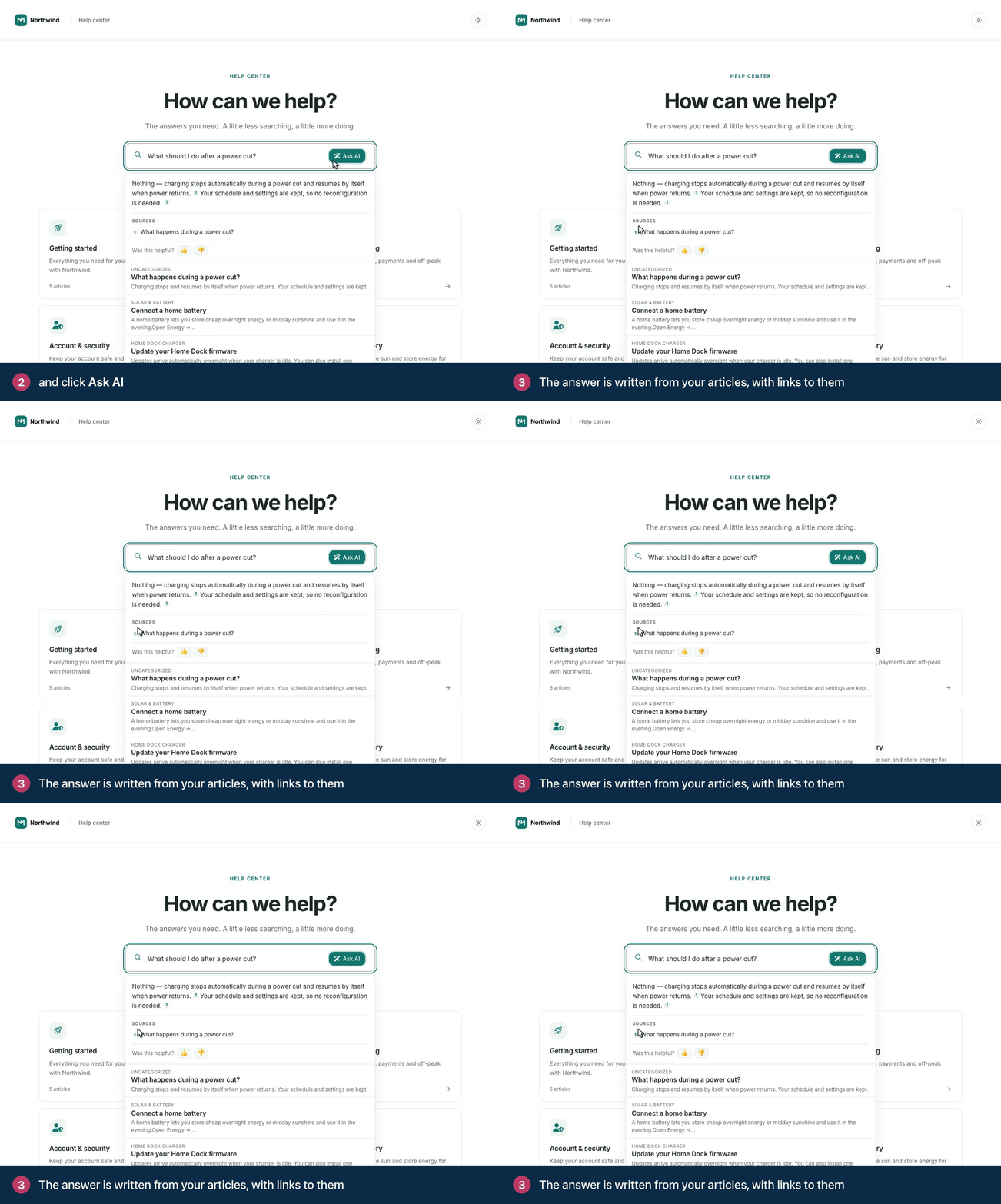
AI Answers is off until you switch it on. See How AI Answers work for the details.
Add AI to Bootstrap or Growth
On Bootstrap and Growth, the AI add-on costs $29 a month, or $24 a month billed yearly. It adds AI Answers, search by meaning, AI in the widget and AI writing help. AI translation is part of the Catalyst plan only. See Add AI Answers to your plan.
Fair use and your data
There are no per-answer charges and no credits to buy. Fair-use limits apply to AI features so they stay fast for everyone.
AI features send only the text they need to the AI model. Team notes and unpublished drafts never reach a reader's answer. See AI and your data.
Comments
Be the first to comment.