

A short video can show a process faster than a page of steps. Paste a YouTube, Vimeo or Loom link and the video plays right inside your article.
Who can do this: Owners, Admins and Editors · Plans: All plans
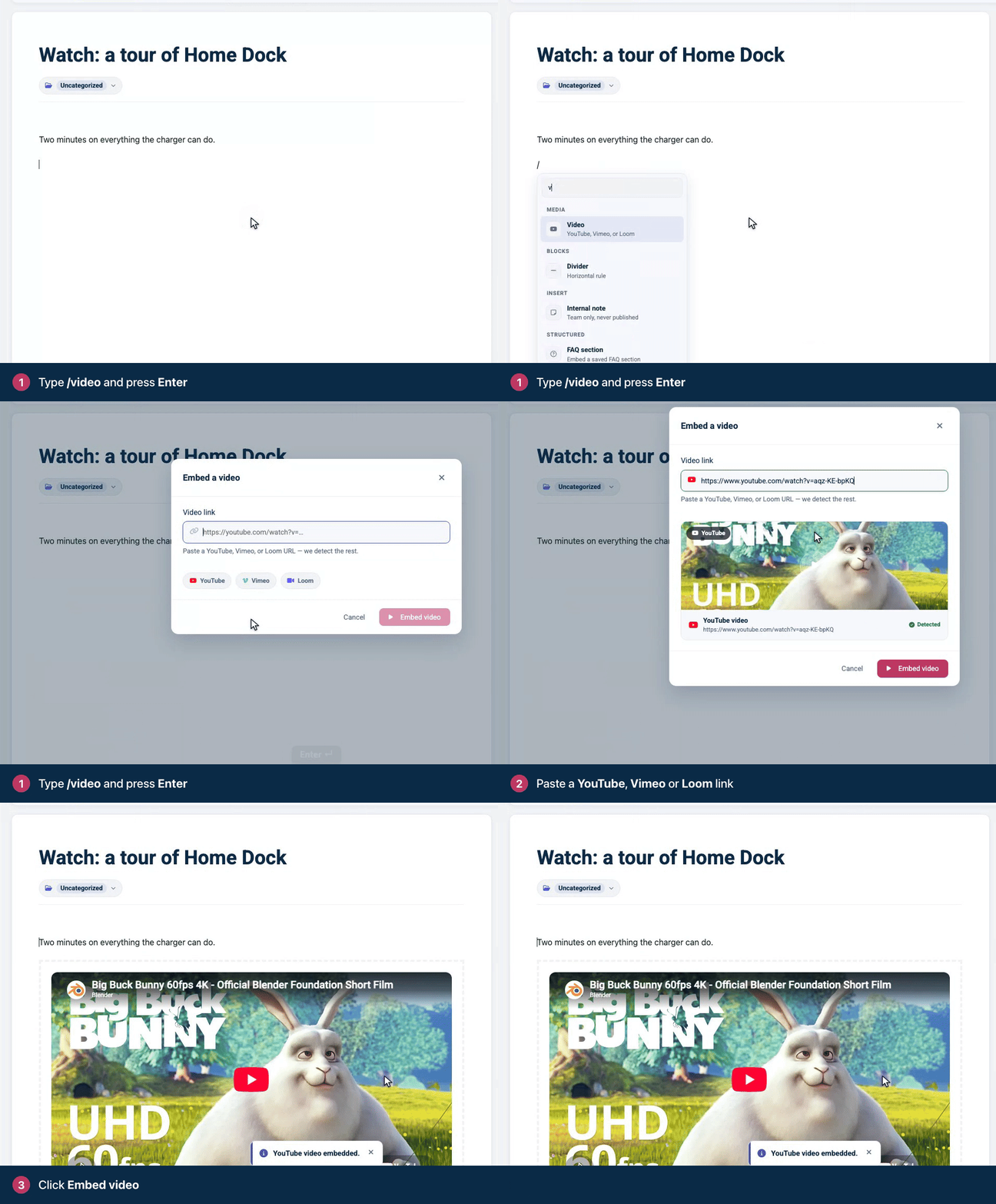
Embed a video
On an empty line, type
/videoand press Enter.Paste the video's link into Video link. HelpCenter.io recognizes the service and shows a preview.
Click Embed video.
Use the normal link from the video's page or its share button. If you prefer YouTube's privacy-enhanced player, paste a youtube-nocookie.com link and the embed keeps using that address.
Resize or remove a video
First select the video: click the dashed frame around the player, not the player itself.
Resize: drag the video's left or right edge. The player keeps its shape as it grows or shrinks.
Remove: click Remove this block in the toolbar.
Videos from other services
For a video host other than YouTube, Vimeo or Loom, copy the embed code it offers and add it with a Custom embed block: type /embed, choose Paste a snippet, paste the code and click Insert embed. Custom embeds run in a sandboxed frame, apart from your help center, so only paste code from services you trust. When the code is just a video or audio player from another site, such as Vimeo or Spotify, it's placed as a plain player so it plays as usual.
Tips for videos in help articles
Keep each video short and about one task. Readers want the answer, not a tour.
Put the key steps in text as well. Some readers can't play sound or video, and search and AI Answers read your text, not your videos.
Add the video after a sentence that says what it shows, so readers know whether to press play.
Troubleshooting
"That doesn't look like a supported video link. Use a YouTube, Vimeo, or Loom URL." The link isn't from one of those three services, or it's incomplete. Copy the link again from the video's page. For other services, use a custom embed as described above.
Comments
Be the first to comment.