

Keep your help center out of Google and other search engines while anyone with a link can still read it. This suits help that's meant only for your customers, or a help center you're still preparing.
Who can do this: Owners and Admins · Plans: All plans
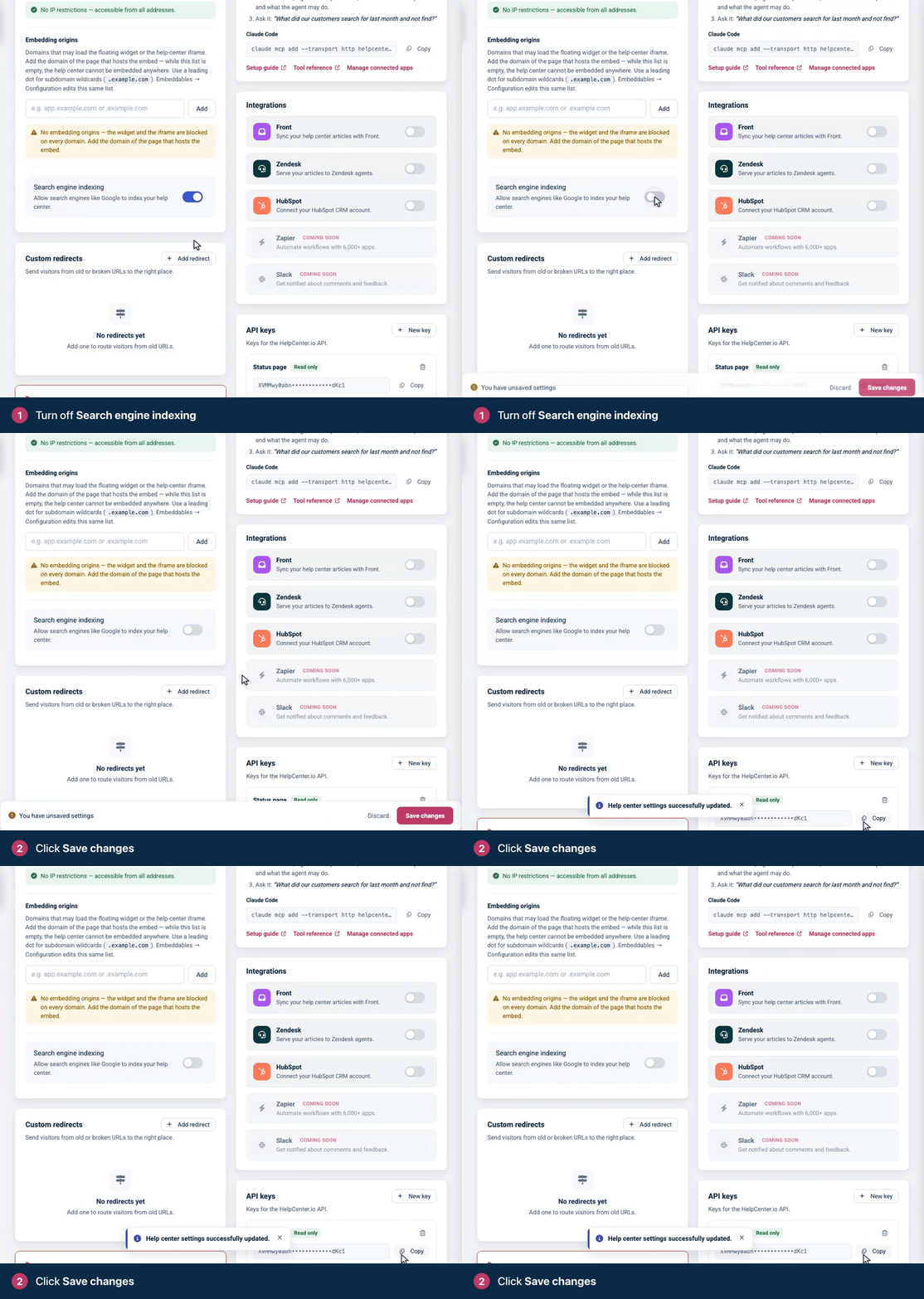
Turn off search engine indexing
In the left menu, click the gear icon, then Settings.
Under General, turn off Search engine indexing.
Click Save changes.
What changes
robots.txt asks every crawler to stay out of your whole help center, and signals that your content may not be used for search, AI answers or AI training.
llms.txt, the index AI assistants read, is removed, and ai.txt says your help center has opted out.
Your public MCP server turns off, so readers can no longer connect your help center to their AI assistant.
Your help center stays open. Anyone with a link can still read it. To control who can read it, see Control who can see your help center.
Pages that search engines have already listed don't disappear at once. They drop out over time as search engines update their results.
The template editor's no-index switch
The template editor has a second switch: Hide from search engines (no-index), in Brand under SEO. It adds a noindex tag to every page of your help center, which asks search engines to remove the page from their results. It takes effect when you publish your design, and it doesn't change robots.txt, llms.txt or your public MCP server. See SEO settings for your help center.
Which one to use:
Your help center isn't in search results yet. Turn off Search engine indexing. Crawlers stay out from the start.
Your pages already show up in search results. Turn on Hide from search engines (no-index) first and leave Search engine indexing on until the pages are gone. Search engines have to read a page to see its noindex tag, and robots.txt stops them from reading it. Once the pages have dropped out, you can turn indexing off too.
Private and password help centers
Private and Password help centers never appear in search results, because search engines can't get past the sign-in or password page. You don't need either switch for them. On every help center, search result pages and the not-found page always ask search engines not to list them.
Comments
Be the first to comment.