

Search is how most readers find an answer. Results appear as they type, in your help center and in the widget. Here is what search looks at, what it leaves out, and how AI Answers makes it smarter.
Plans: Keyword search on all plans. Search by meaning with AI Answers on: Catalyst, or the AI add-on on Bootstrap and Growth.
Where readers search
The search bar in your help center shows matching articles as the reader types. Pressing Enter opens the full results page.
The widget has its own search box, which searches the same articles.
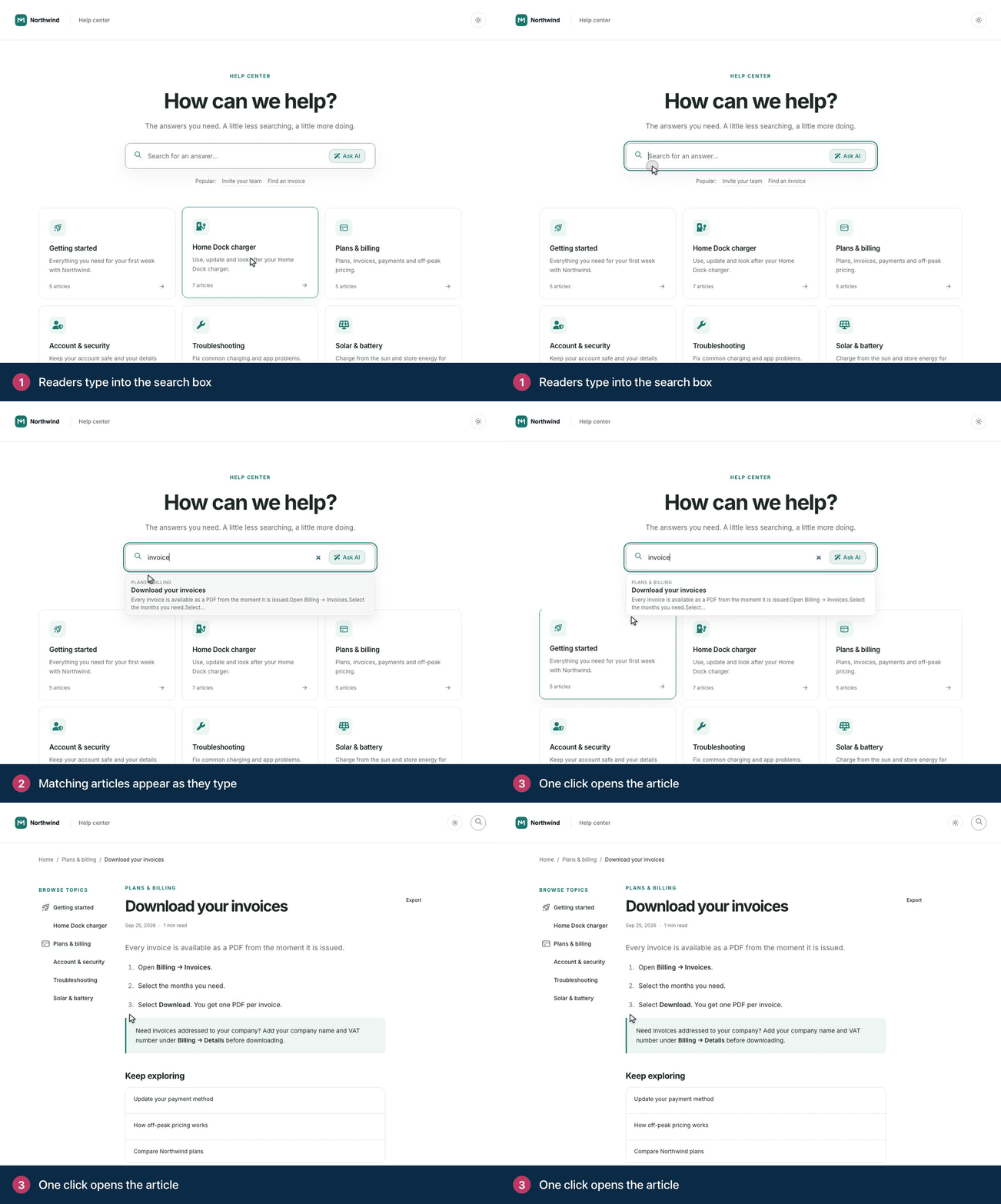
What search looks at
Article titles, article text and category names, in the language the reader is browsing in.
Small typos are forgiven, so "pasword" still finds "password".
With AI Answers on, search also matches meaning. A reader who types "how do I cancel my plan" can find an article called "End your subscription", even though the words differ. Searches of one to three words that aren't a question, such as "billing", match by keyword only.
The first time you turn on AI Answers, your articles are prepared for search by meaning in the background. Until that finishes, search matches keywords only.
What search leaves out
Drafts, unpublished articles and staged edits you haven't published.
Private articles and categories, unless the reader is allowed to see them.
Translations you haven't released yet.
Team notes and AI drafts you haven't kept. Words that appear only in a note never match, in the help center or in your dashboard.
Short searches work best
Search works best with a few key words, such as "reset password" or "export invoices". A search longer than 150 characters isn't run: the reader sees "That search was too long to run. Try again using a few keywords (up to 150 characters)."
For a full question, readers can use Ask AI instead, which takes up to 200 characters and answers in a few sentences. See How AI Answers work.
Search results and Google
Your search results pages tell search engines not to index them, so they don't show up in Google. Your articles do. See How search engines and AI crawlers read your help center.
See what people search for
Every search is recorded in Statistics, including the ones that found nothing. Those failed searches are the best list of articles to write next. See See what people search for.
Troubleshooting
An article doesn't show up in search. Check that it is published, that the reader can see it, and that its translation is released. See Search can't find an article.
Readers use different words than your article. Add the words they use to the title or the first paragraph. Your failed searches show you which words those are.
Comments
Be the first to comment.