

Save a copy of your articles, then delete a help center you no longer need. Deleting is permanent, so always export first.
Who can do this: The help center's owner · Plans: All plans
Export your articles
In the left menu, click the gear icon, then Settings.
Scroll down to Danger zone.
Click Request a PDF export.
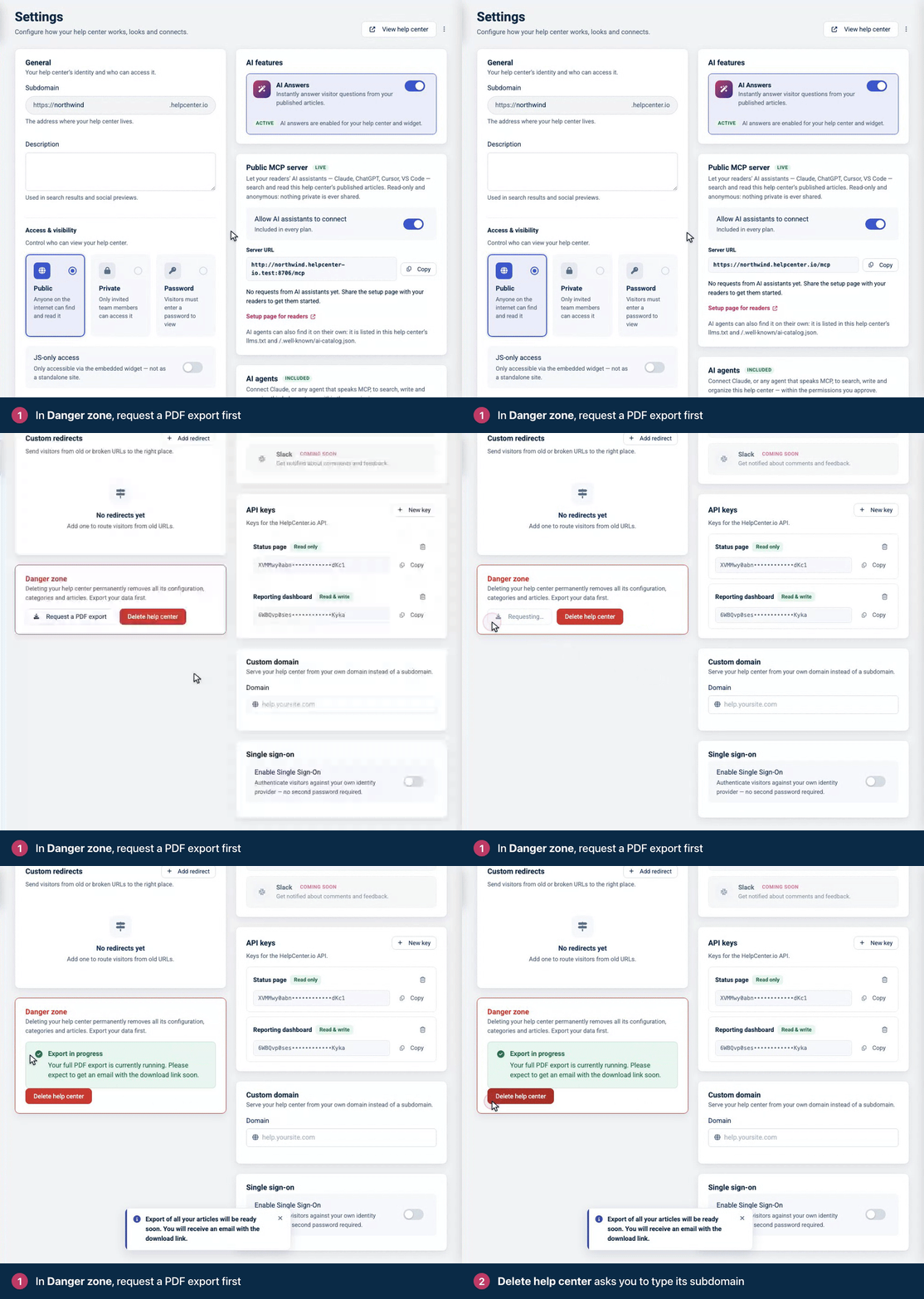
We prepare a ZIP file with a PDF of every article, drafts included, in each of its languages. When it's ready, we email you a download link that works for 7 days. Private articles are included only if you wrote them.
While the export runs, Danger zone shows Export in progress. You can request a full export once every 30 minutes. Exporting selected articles from Articles doesn't count toward that wait and doesn't show here.
Export your content as data
If you'd rather keep your content as data than as PDFs, the API's export endpoint returns your categories and articles, with their content, as JSON. Articles in Trash and your team's notes aren't included. You need an API key: see Create an API key.
curl https://api.helpcenter.io/v1/export \
  -H "apikey: YOUR_API_KEY"
Each response includes a cursor object. While cursor.has_more is true, call the endpoint again with ?cursor= set to the value of cursor.next. See Export on the developer portal for the full response format, and Back up your help center there for a ready-made script.
Delete the help center
Have more than one help center? Contact support before you delete the first one you created, so your other help centers stay online.
In Settings, scroll down to Danger zone and click Delete help center.
Type the help center's subdomain in the box, exactly as shown above it (for example
acme, without.helpcenter.io).Click Delete permanently.
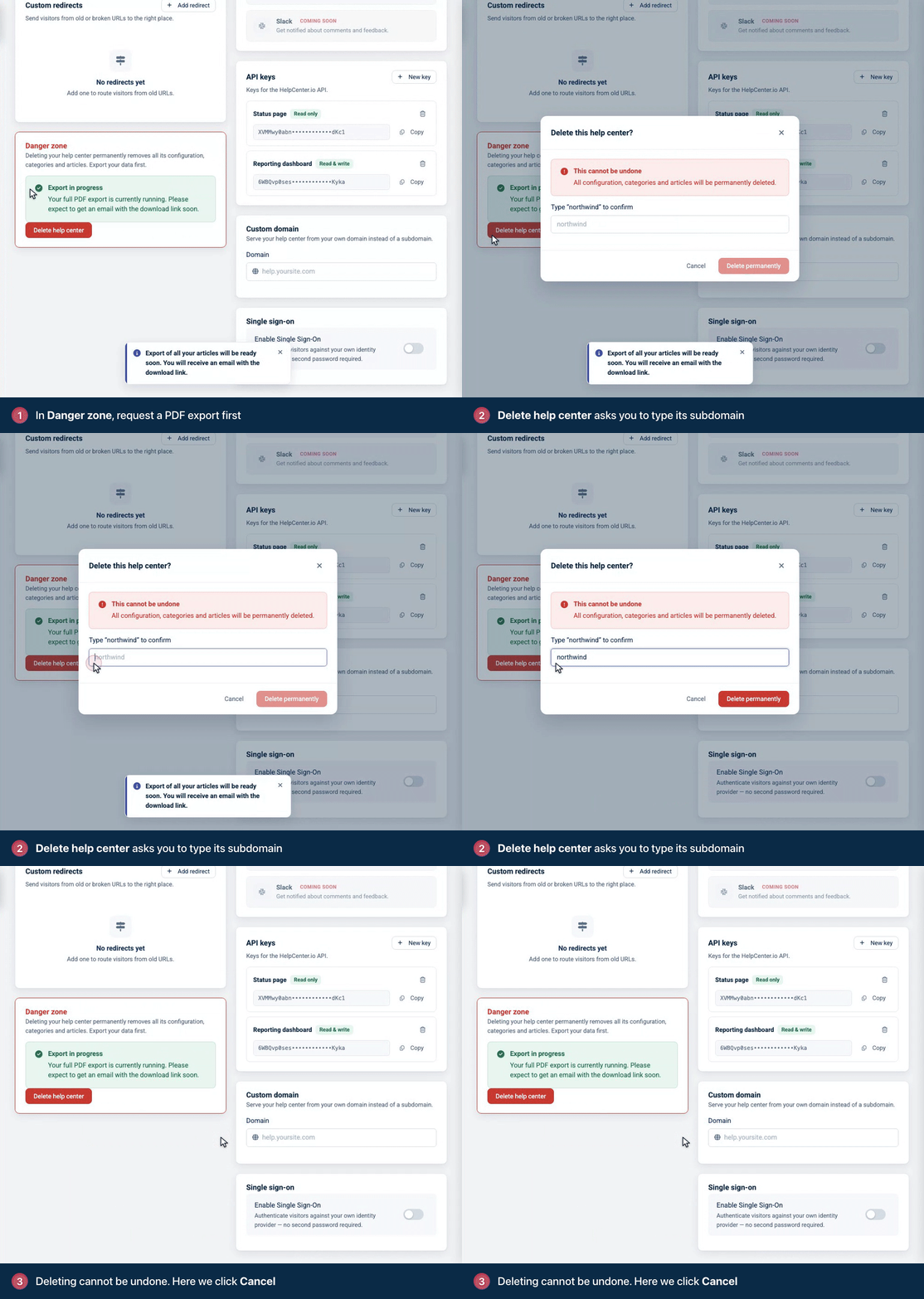
You see "Help center deletion started. Data cleanup will complete shortly." and go back to My Help Centers.
What deleting does
All of the help center's articles, categories and settings are deleted. This can't be undone.
The help center's subscription is canceled.
Your team loses access to it. Their HelpCenter.io accounts aren't affected.
Want to close your whole account instead? See Change your email, transfer ownership or delete your account.
Troubleshooting
You don't see Danger zone. Only the help center's owner does. Ask the owner, or have ownership moved to you: see Change your email, transfer ownership or delete your account.
"You cannot run more than 1 full export every 30 minutes." A full export was requested in the last 30 minutes. Check your inbox for it, or try again later.
Delete permanently stays grayed out. Type the subdomain exactly as shown, with nothing before or after it.
Comments
Be the first to comment.